
1.9.4
November 27, 2026Under Apple review
Manage Feeds
iCloud
Blocked sites
Full screen
Reading
OPML
Fixes
- Manage Feeds: select several feeds of an account to put them in a category, copy them to another account, or unsubscribe from them at once. Copy your feed subscriptions from Local RSS to iCloud in a few taps
- iCloud: large accounts run more smoothly. Read status and favorites sync more reliably when you leave the app right after a change. Favorites also keep their saved text on your other devices
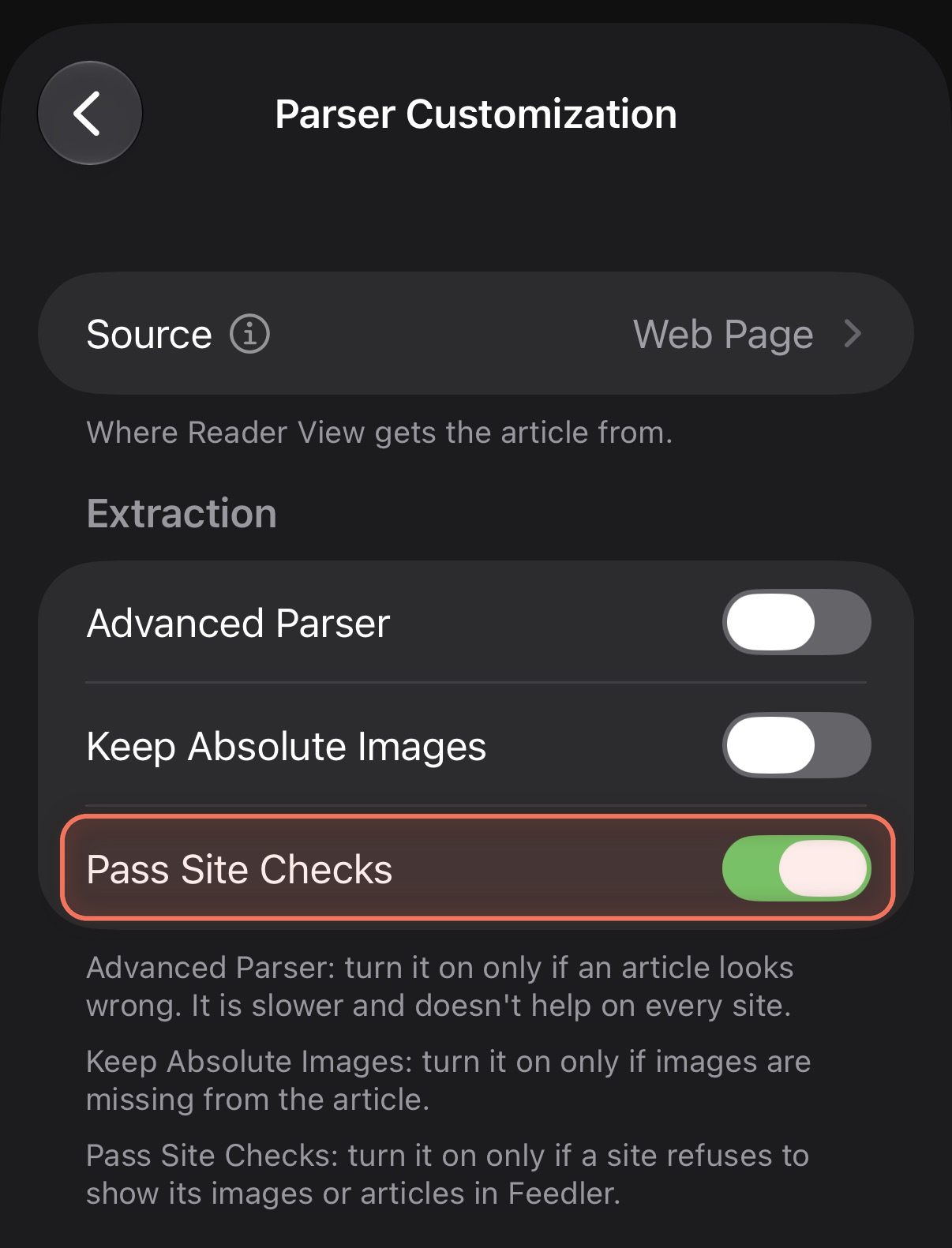
- Sites that block article loading: Feedler now explains why and offers Try Another Way to attempt loading the full text. Pass Site Checks now works for the article itself, not only its images
- Full screen on iPad and iPhone Duo: swipe from the left edge to look at your lists, as in Mail. Pick an article and you stay in full screen
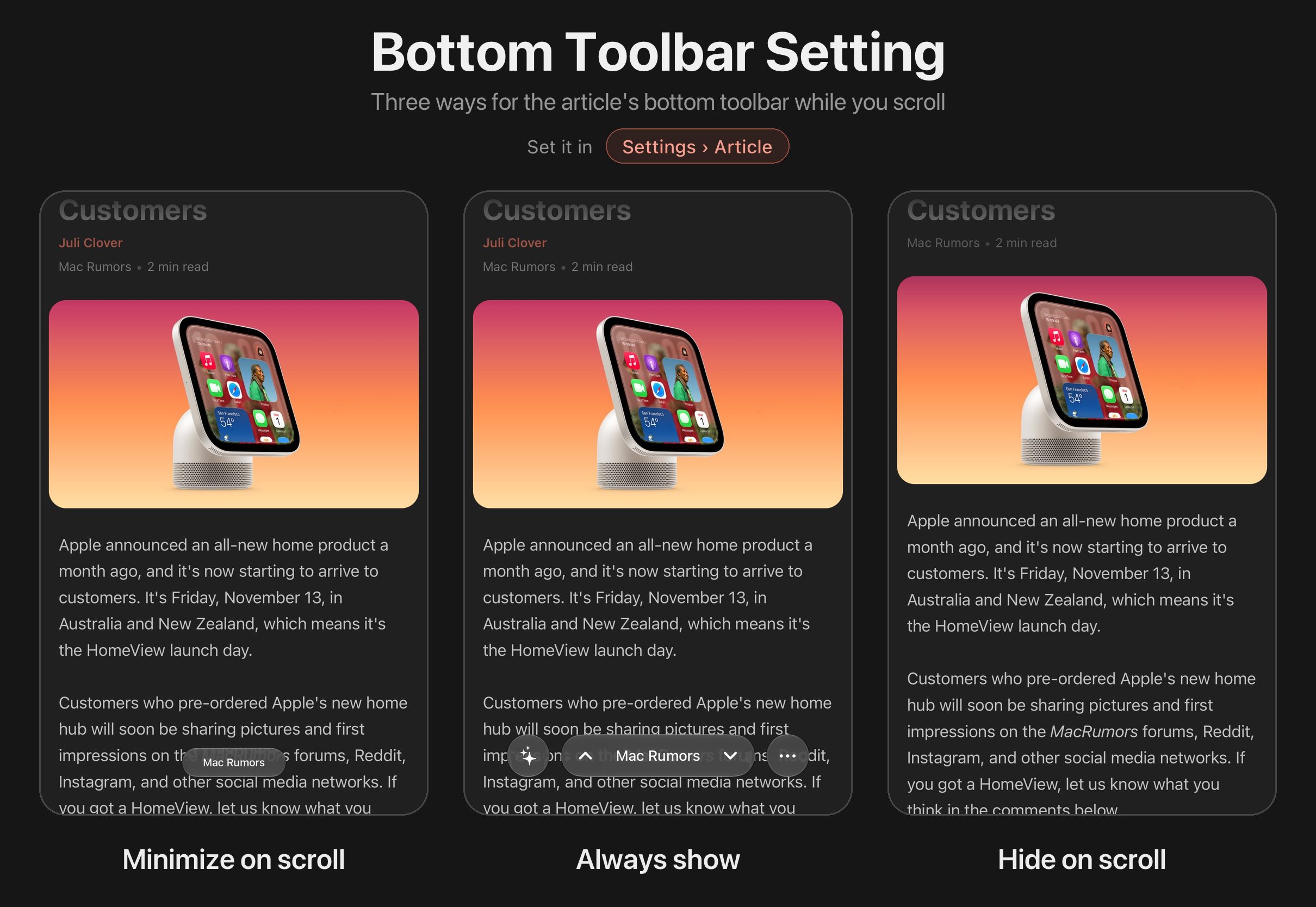
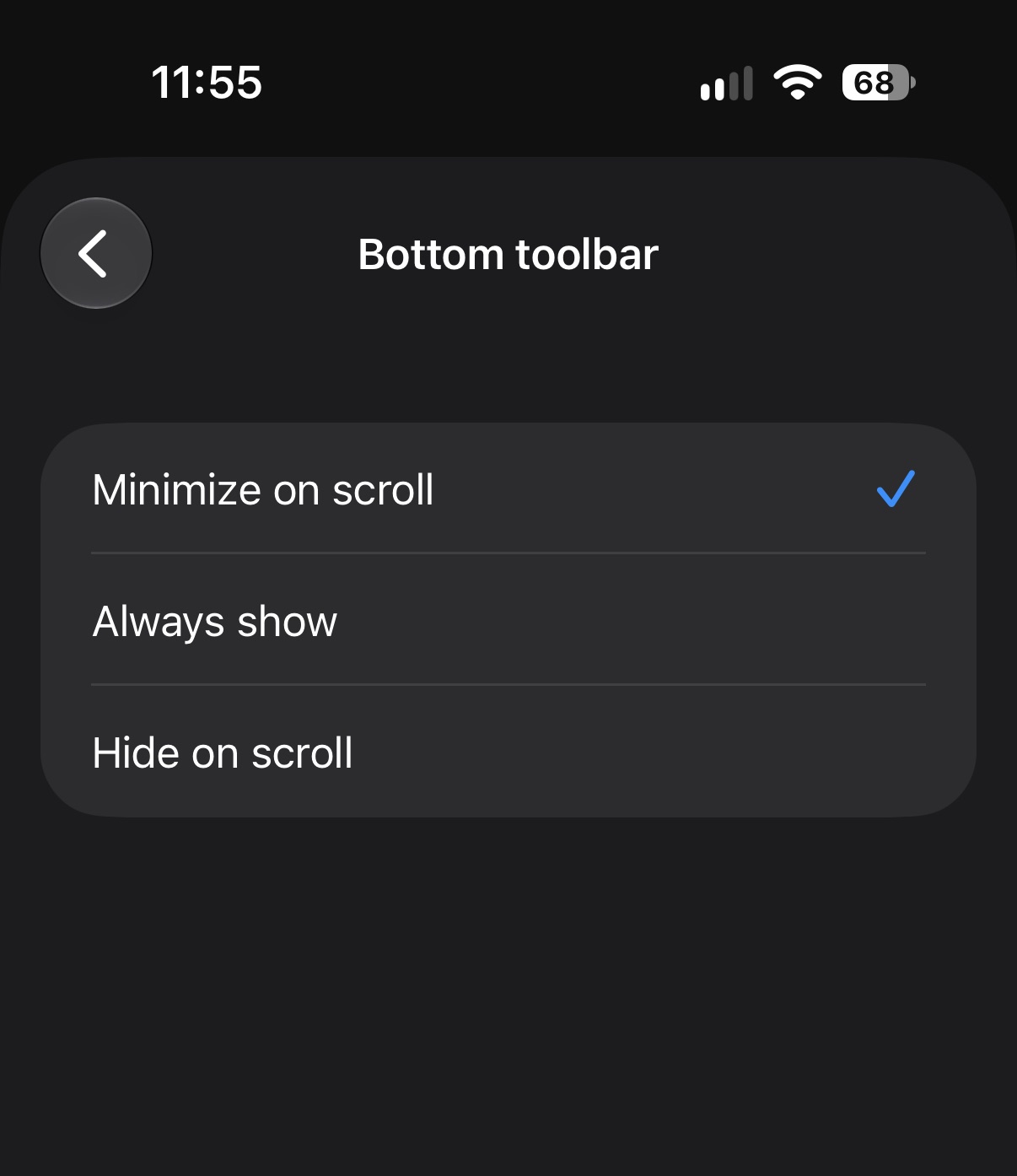
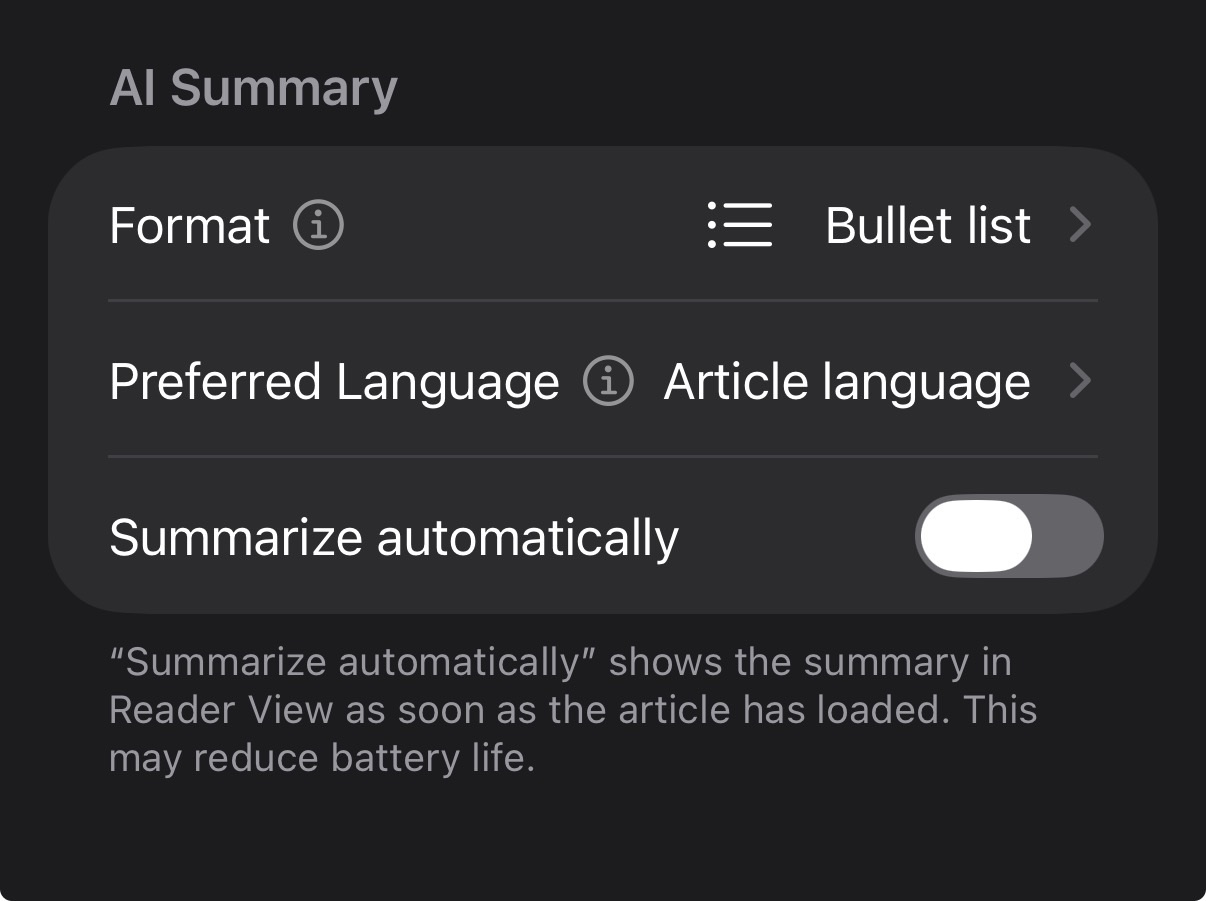
- Reading: choose whether the bottom toolbar minimizes, stays visible or hides as you scroll. You can also turn on automatic AI summaries when opening articles in Reader View
- OPML files with common faults are repaired, Reddit sync off by default, and other bug fixes
Manage Feeds
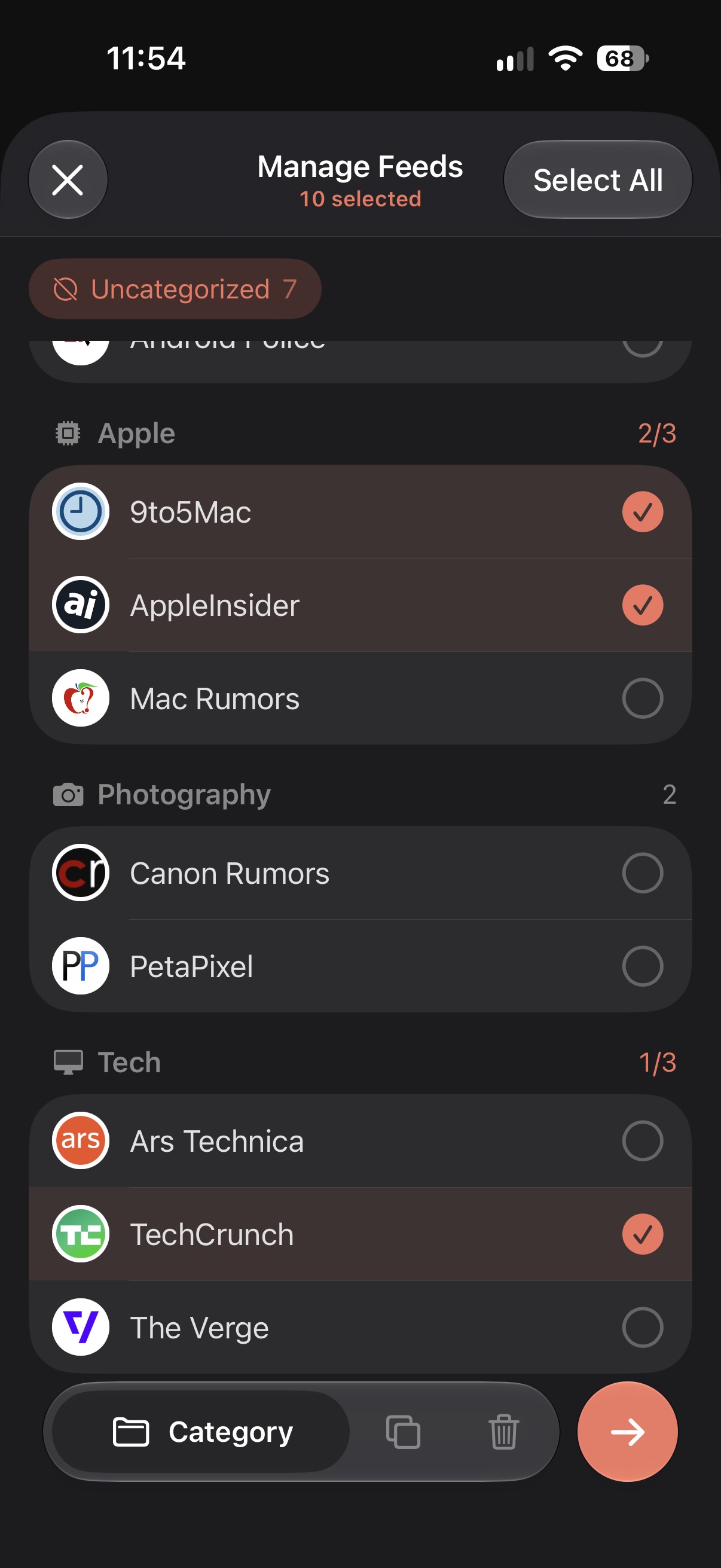
- Open Manage Feeds from the + menu above your feed list, or touch and hold an account on the Accounts page. On iPad and Mac, it is also in the account menu at the top of the sidebar
- The page lists the account's feeds under their categories. Tap a feed to select it, a category's name to select all its feeds, or Select All. The buttons at the top select feeds with no category, archived feeds, feeds that haven't published anything for about three months, and feeds with a sync issue
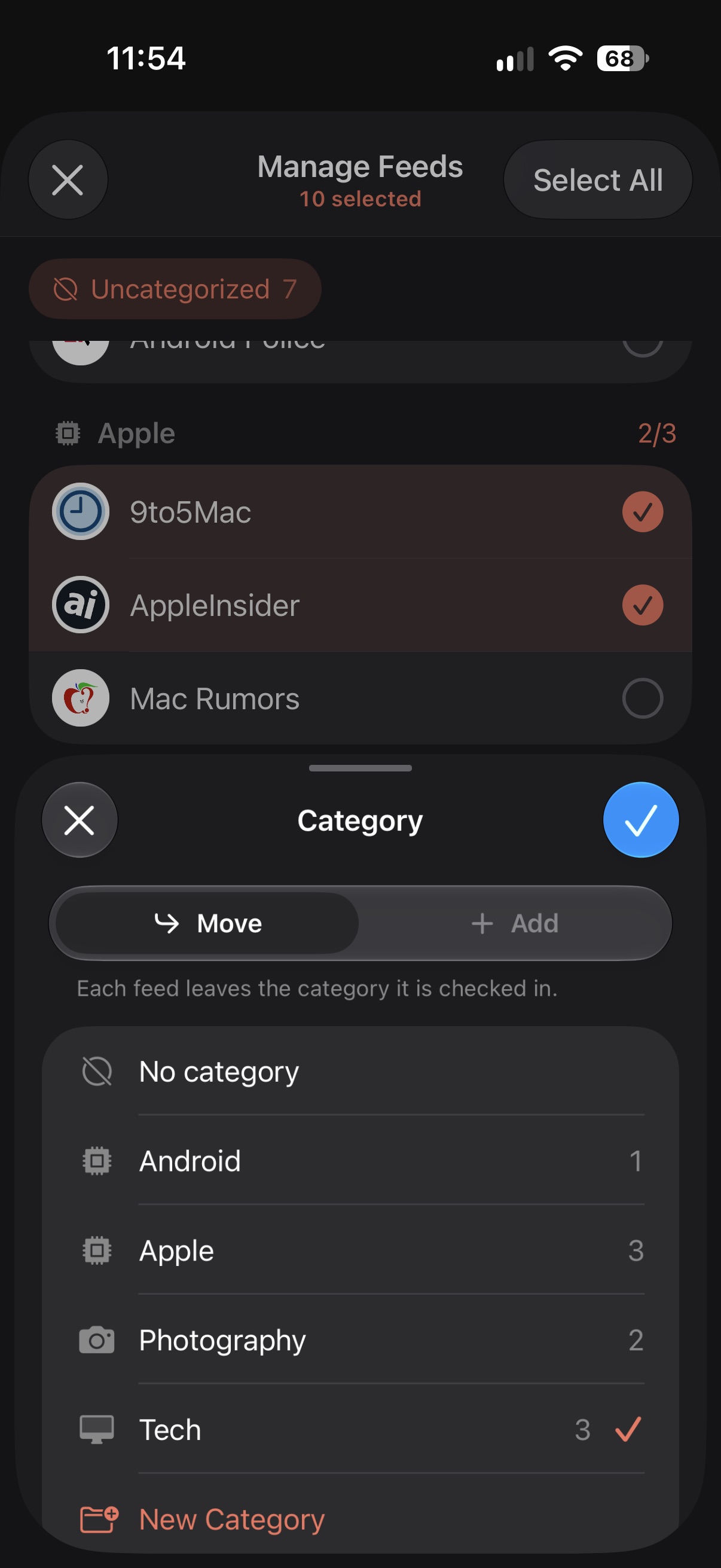
- Category › Move puts the selected feeds in another category, a new one, or none. Each feed leaves the category you selected it under
- Category › Add puts the selected feeds in another category too, and they keep the ones they already have. Not available with FreshRSS, Tiny Tiny RSS and Miniflux, where a feed has only one category
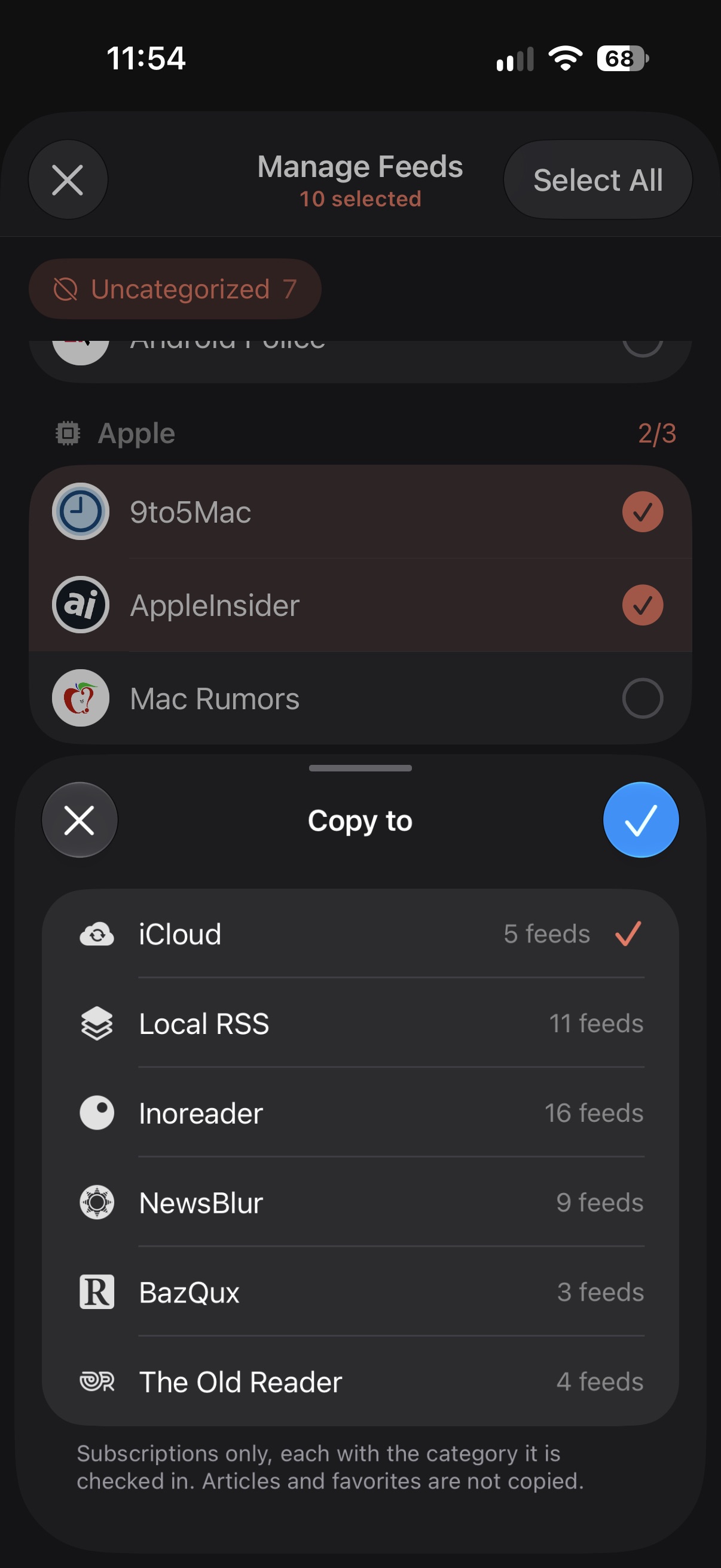
- Copy adds the selected feeds to another of your accounts, each with its category: a simple way to move from Local RSS to iCloud. Only the subscriptions are copied: articles, read status and favorites aren’t transferred. When you close Manage Feeds, the destination account syncs, so its feeds are ready when you open it. It requires ∞ Feedler Unlimited and shows when you have at least two accounts
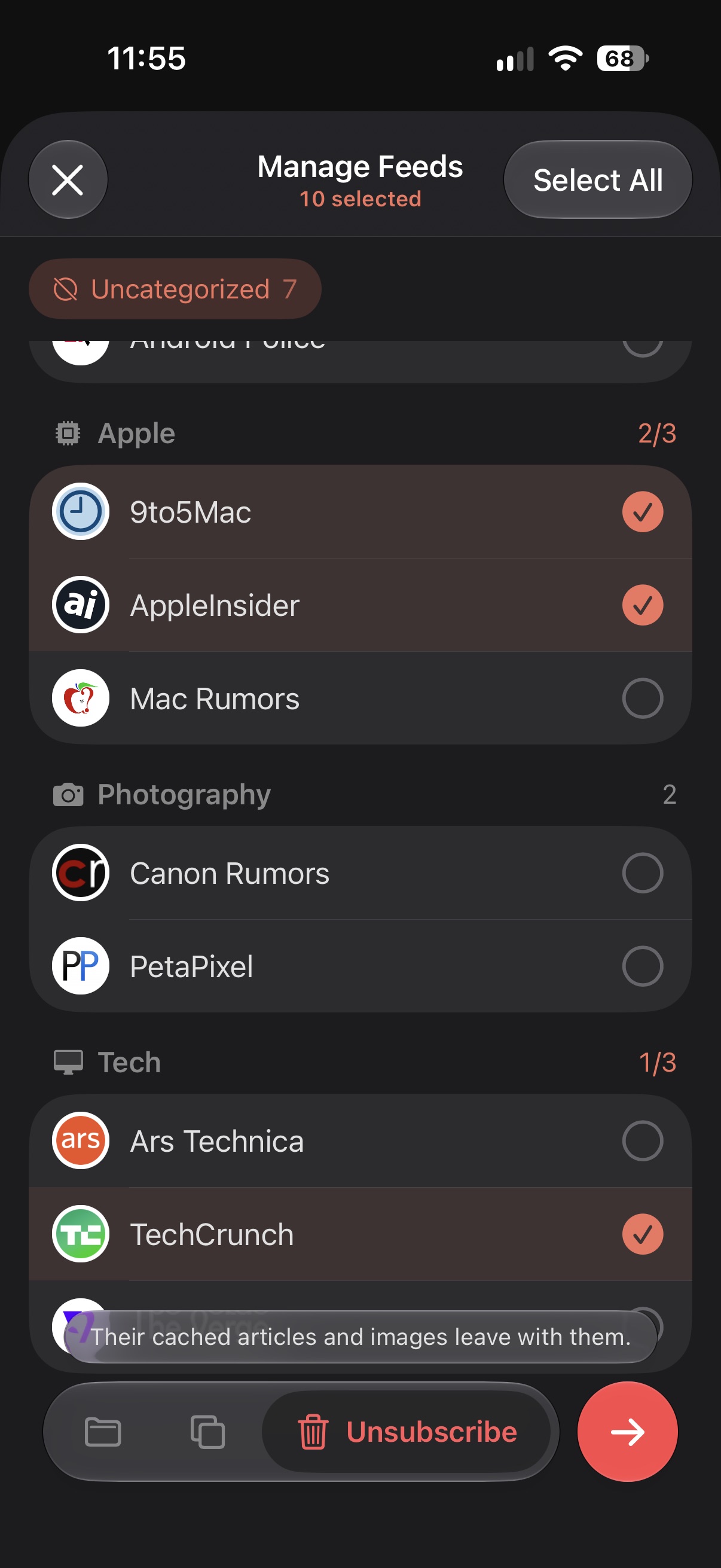
- Unsubscribe removes the selected feeds after one confirmation
- Nothing changes before you confirm. If a sync is running, the action waits for it to end
- The FAQ answers “How do I manage several feeds at once?” and “Can I copy my feeds to another account?”
iCloud
- Fixed a brief scrolling freeze shortly after opening an article. Large accounts stay smooth while they sync, and Mark all as read is much faster
- Read status and favorites sync more reliably when you leave the app right after a change
- Favorites keep their saved text on your other devices, even those saved long ago
- If iCloud refuses a change to your feeds, for example when your iCloud storage is full, Feedler tells you. The change stays on this device until there is room
- Unread counts update right away when feeds are removed on another device
- Improved reliability of iCloud sync in specific scenarios
- The FAQ answers “How does the iCloud account work?”
Sites that block article loading
- Some sites, often behind Cloudflare, check that their visitor is a person before they show an article. Feedler then gets only the summary the feed gives
- The article now says so: “This site is blocking its articles.” Tap Try Another Way and Feedler tries to pass the site's check and load the full article. If it works, Pass Site Checks stays on for that feed’s future articles
- You can turn it on yourself: touch and hold the feed in your list, then Feed Settings › Parser Customization › Pass Site Checks. Turn it on only for a site that needs it: the first article can take a few seconds longer to appear
- Until now, Pass Site Checks only helped with a site's images. It now works for the article itself too. Neowin works without changing anything
- Turning Pass Site Checks off for a feed, or removing the last feed of a site, clears what Feedler kept to pass that site's check
- A few sites that refused Feedler's requests now open
- The FAQ answers “How do I customize the article parser?”
Full screen on iPad and iPhone Duo
- In full screen, swipe from the left edge to look at your lists over the article, as in Mail. Swipe again to see your feeds too
- Select an article to dismiss the lists and continue reading in full screen
- On the unfolded iPhone Duo, the list keeps its width while it slides in. Folded in landscape, the AI summary is in the side bar's “…” menu
Bottom toolbar
- In Settings › Article › Bottom toolbar, choose what the article's bottom toolbar does while you scroll: Minimize on scroll, as before, Always show, or Hide on scroll, which hides it along with the buttons at the top
- A tap at the top of the screen scrolls the article back to its top and brings the toolbars back right away
AI summary
- Turn on Summarize automatically in Settings › Article › AI Summary and the summary starts by itself when you open an article in Reader View. It is off by default and may reduce battery life
- The summary appears one point or one sentence at a time as it is written, instead of all at once at the end
- The FAQ answers “How can I summarize articles with Apple Intelligence?”
OPML import
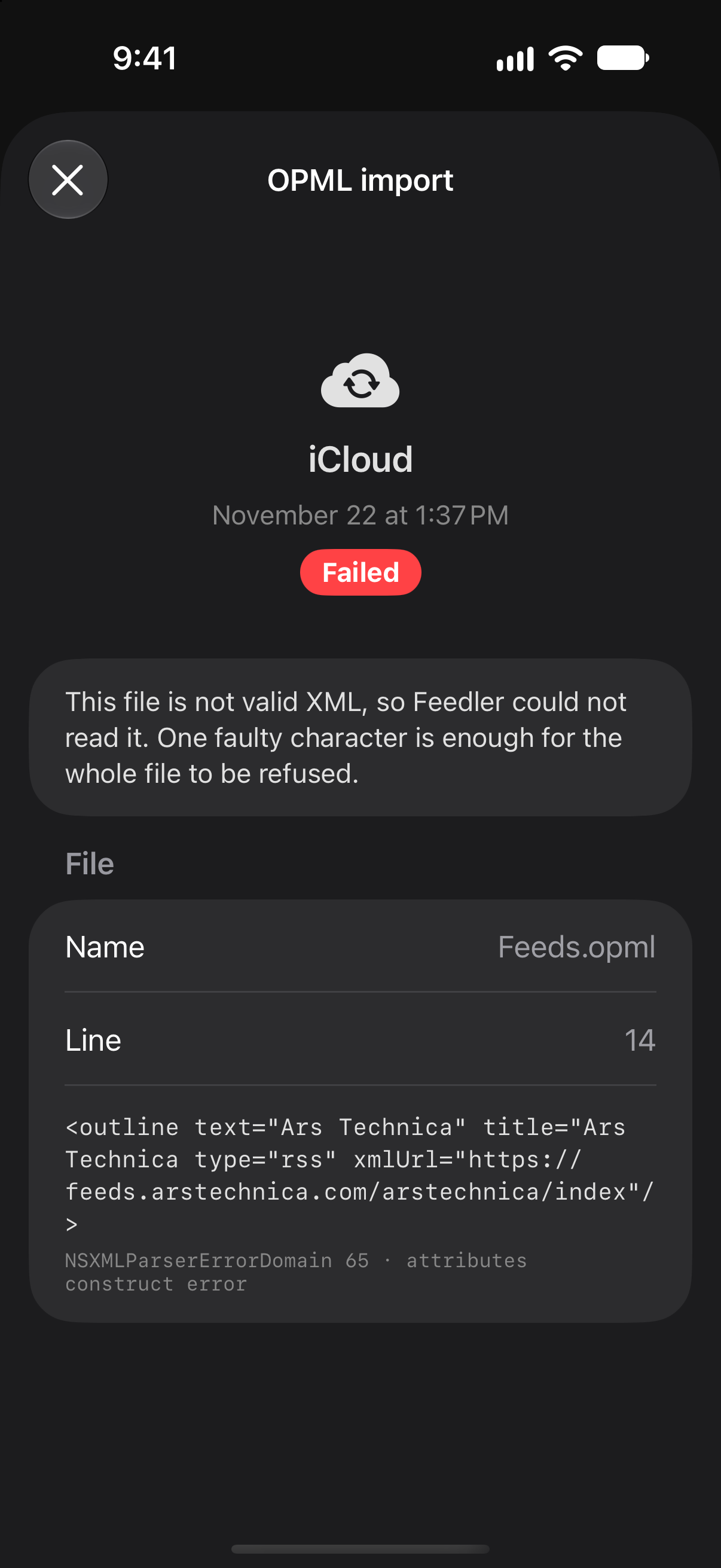
- When a file can't be imported, the banner says why. Tap it to see the line of the file at fault. The same page stays in the Activity Log
- Feedler repairs the usual faults of an exported file before reading it again, such as a stray “&” in an address or a wrong text encoding. A message at the bottom of the import preview shows when repairs were made
- The import preview has a close button
- The FAQ answers “How do I import or export my feeds into another account with an OPML file?”
Keyboard on Mac and iPad
- On the Mac, ⌘F opens Find in Article, and ⌘G and ⇧⌘G go to the next and previous result
- On iPad and Mac, Space scrolls the article down by a page and ⇧Space scrolls it back up
- The FAQ answers “Are there keyboard shortcuts on Mac and iPad?”
Sync
- Sync Reddit feeds is off by default, now that Reddit has ended its RSS feeds. The FAQ answers “Reddit ended its RSS feeds”
- With Feedbin, Inoreader and the other services, if one change is rejected, the others can still sync
Also
- Add Feeds shows a feed found under two addresses only once
- The screenshots in Feedler News articles have a thin frame, so they stand apart from the page
- Fixed a progress bar that could come back at every launch with some Mastodon feeds
- Various bug fixes