Feedler
The smart RSS reader.
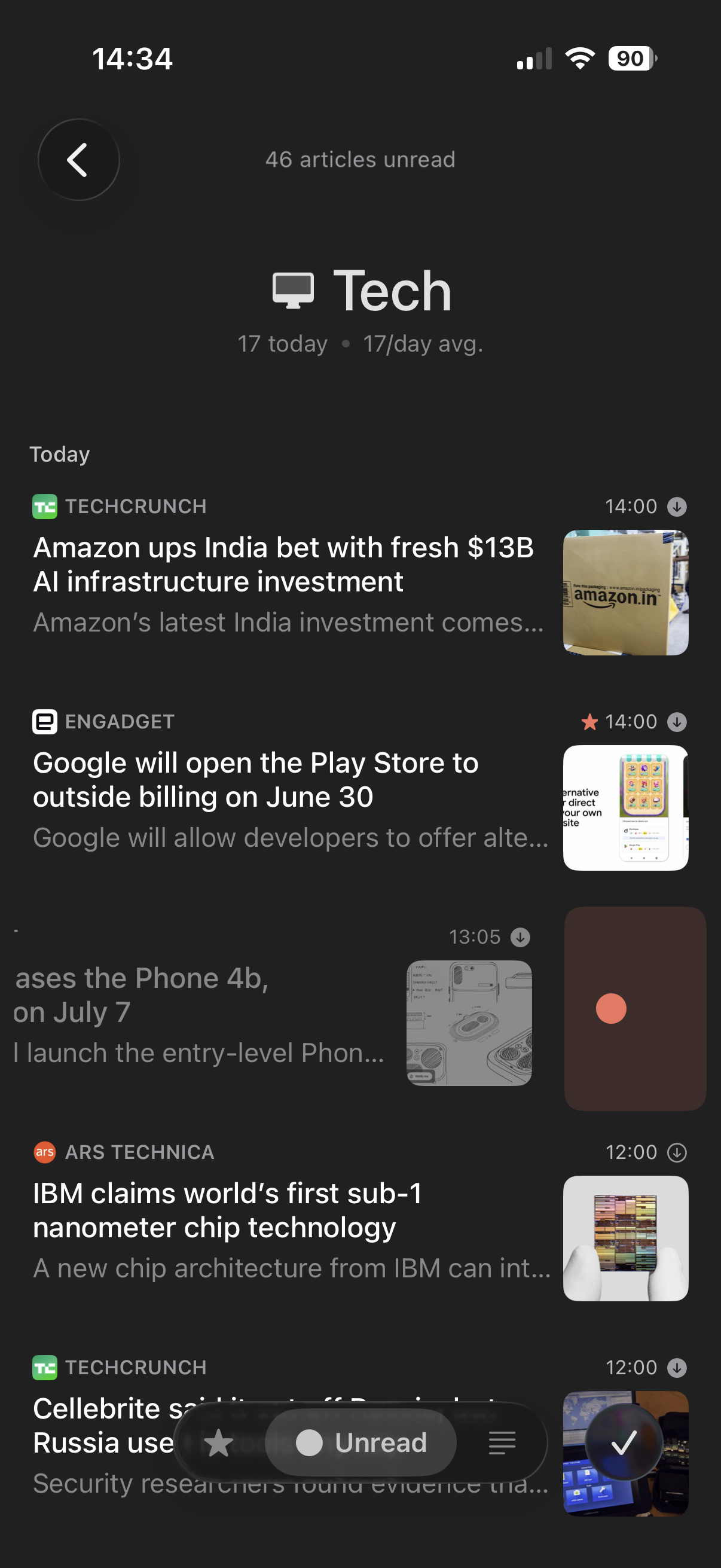
Built for reading. Feedler has a unique, custom-built parser: it fetches the whole article, even when a feed only has a preview. Feedler groups the news your feeds share into Trending Stories. And you can adjust the reader to suit you.

Trending Stories
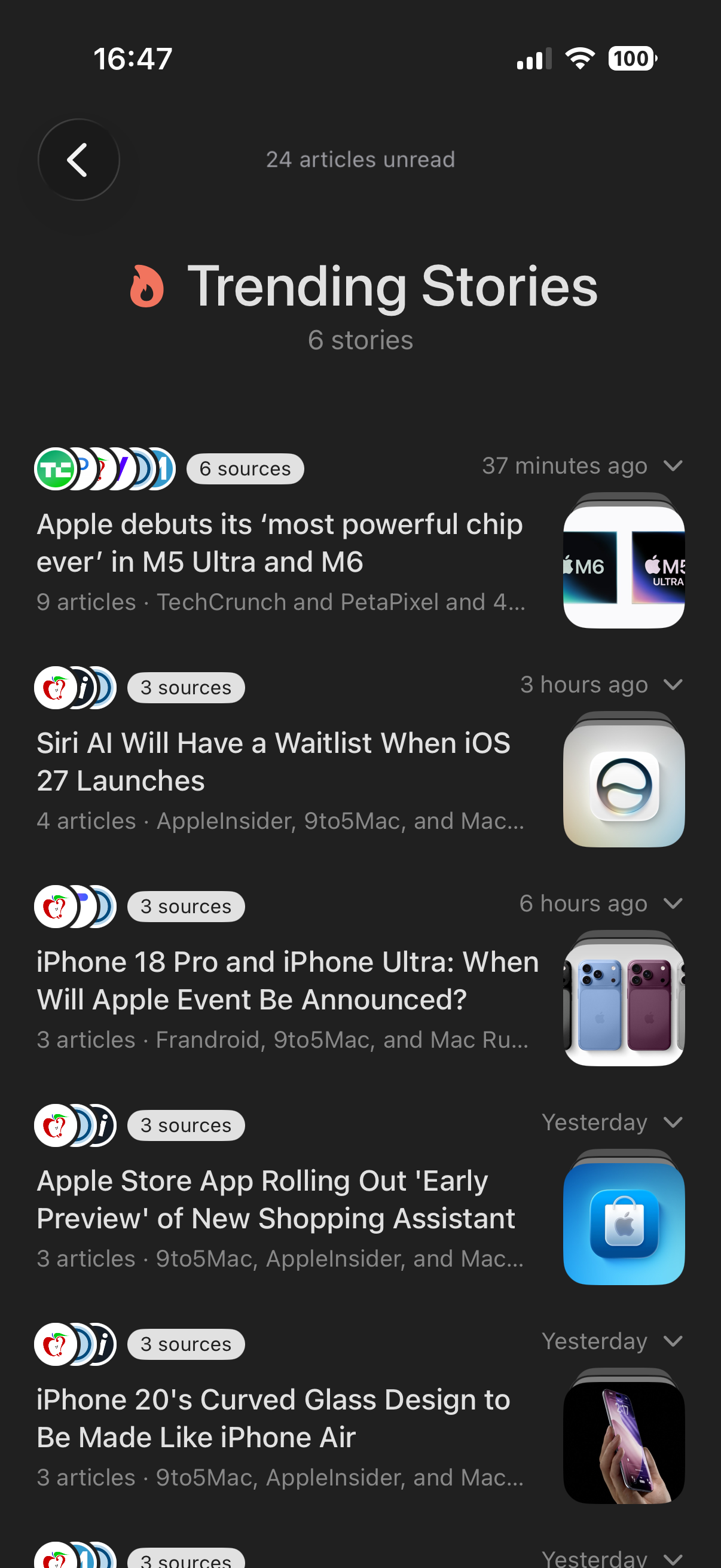
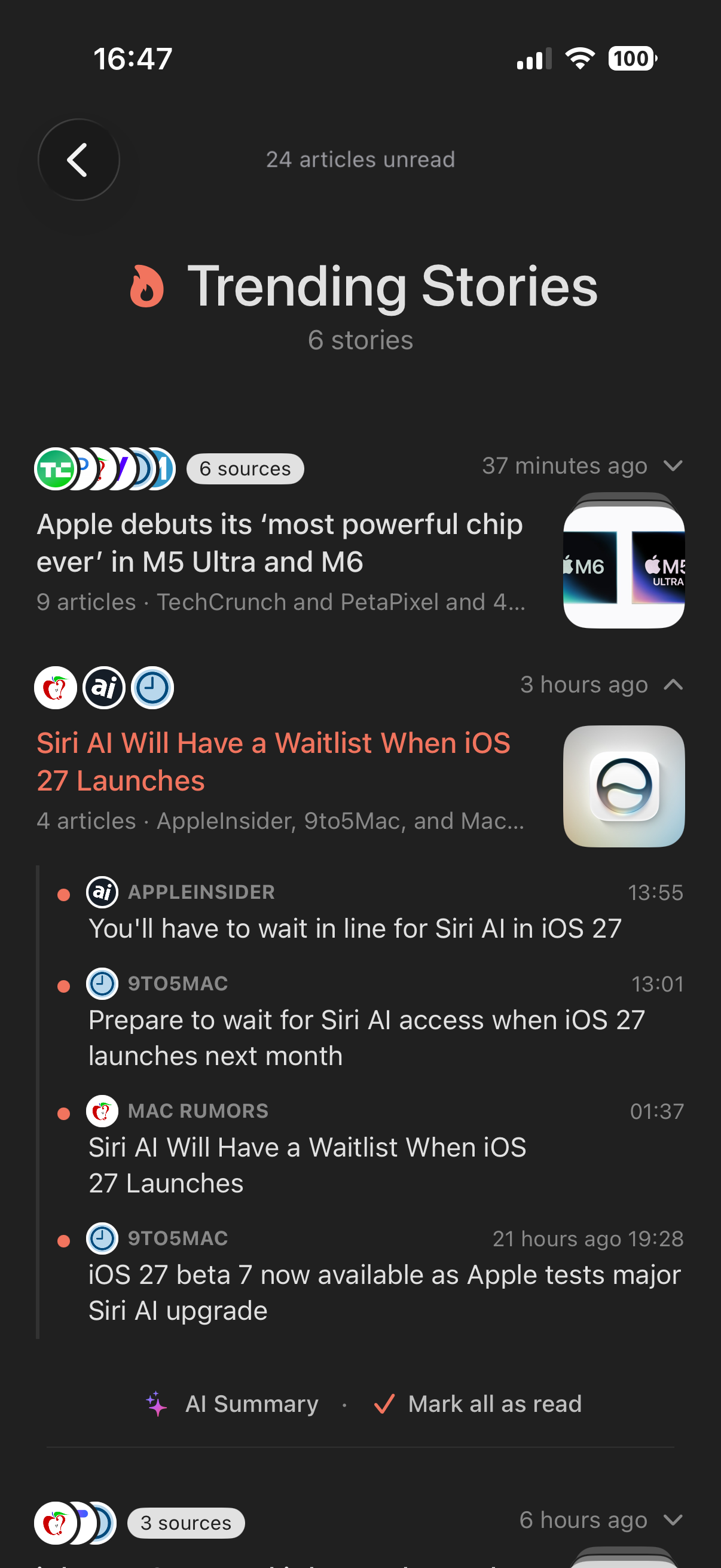
See what your feeds are buzzing about
When several of your sources cover the same news, Feedler gathers their articles into one story: one headline, the sources' icons stacked, every angle one tap away. It is a front page made from your feeds only, put together on your device. No editor decides what matters, and no AI is involved.
The reader
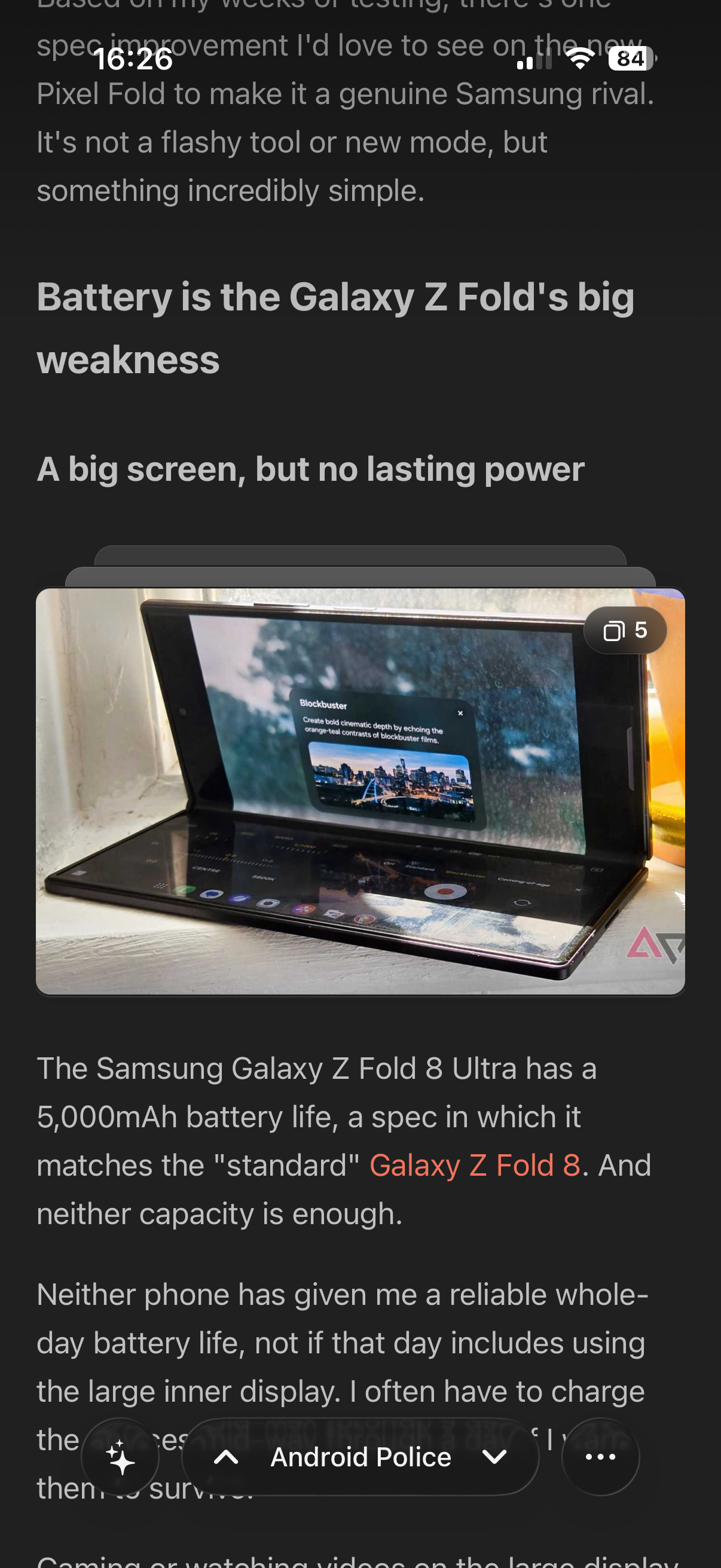
Every article, clean and complete
Feedler's own parser pulls the whole article from most sites and leaves the clutter behind. Image galleries become a grid or a stack of cards, YouTube videos play inside the article, and social posts show as real embeds. Some sites still need a little help: you can fix them yourself, either by selecting text directly or from a per-feed panel.
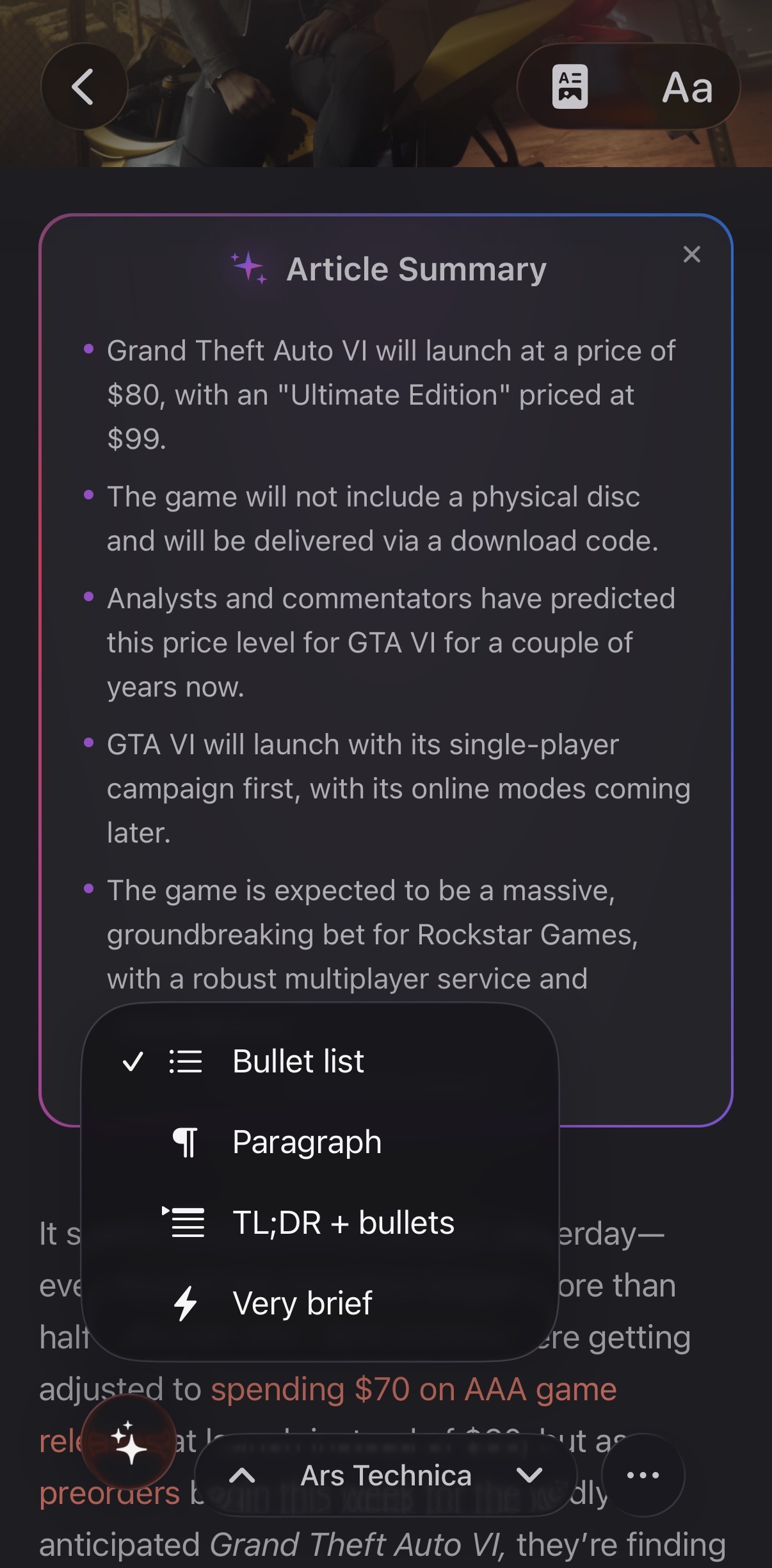
AI, only where it helps
The gist first, the depth when you want it
One tap gives you an AI summary of an article, or of a whole story, before you decide to read it in full. Feedler can also read any article aloud. Summaries use Apple Intelligence and run on your device, so the text never goes to a server.
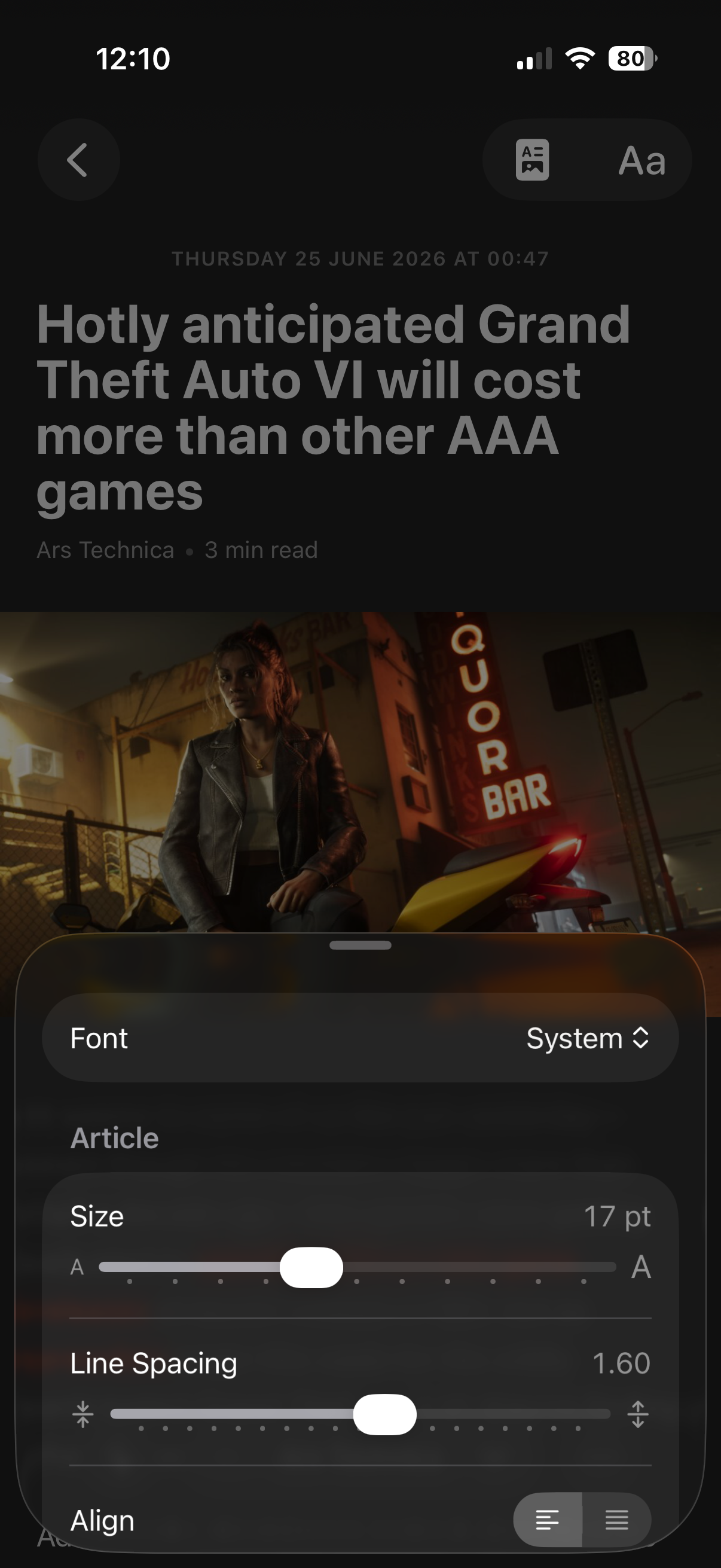
Reading comfort
Reading, exactly your way
Choose the font, its size, the line spacing and the column width. Feedler also has reading-assistance modes you will not find in other readers (anchors, soft bold, progressive fading) that help your eyes follow the text. Scrolling and transitions run at 120 Hz on ProMotion screens.
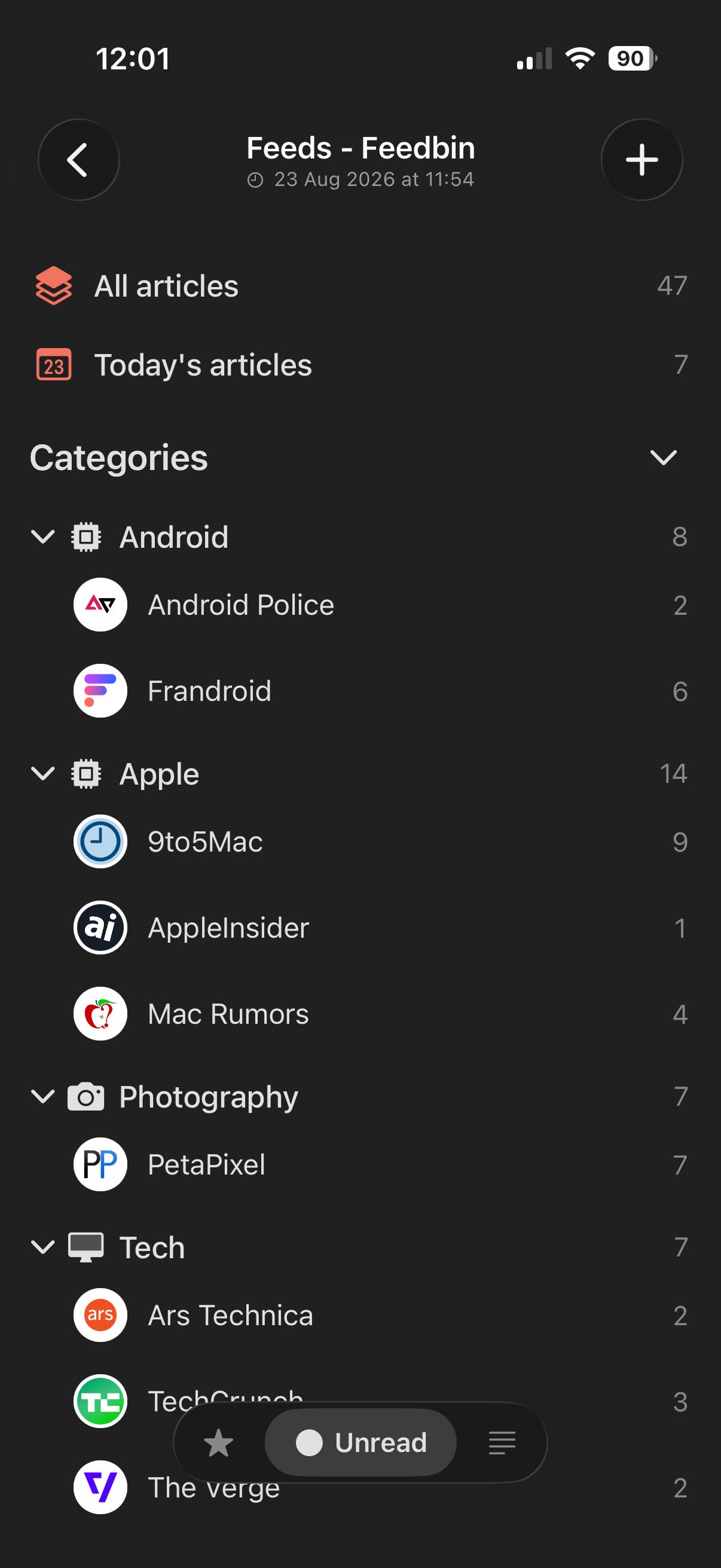
Your library
Every feed, beautifully kept
Keep several accounts side by side, organize feeds into folders, and let Feedler find a clean icon for each feed. Each feed has its own card, with your reading activity, its publishing stats and its own settings.
Feeds Discover
Great feeds, found for you
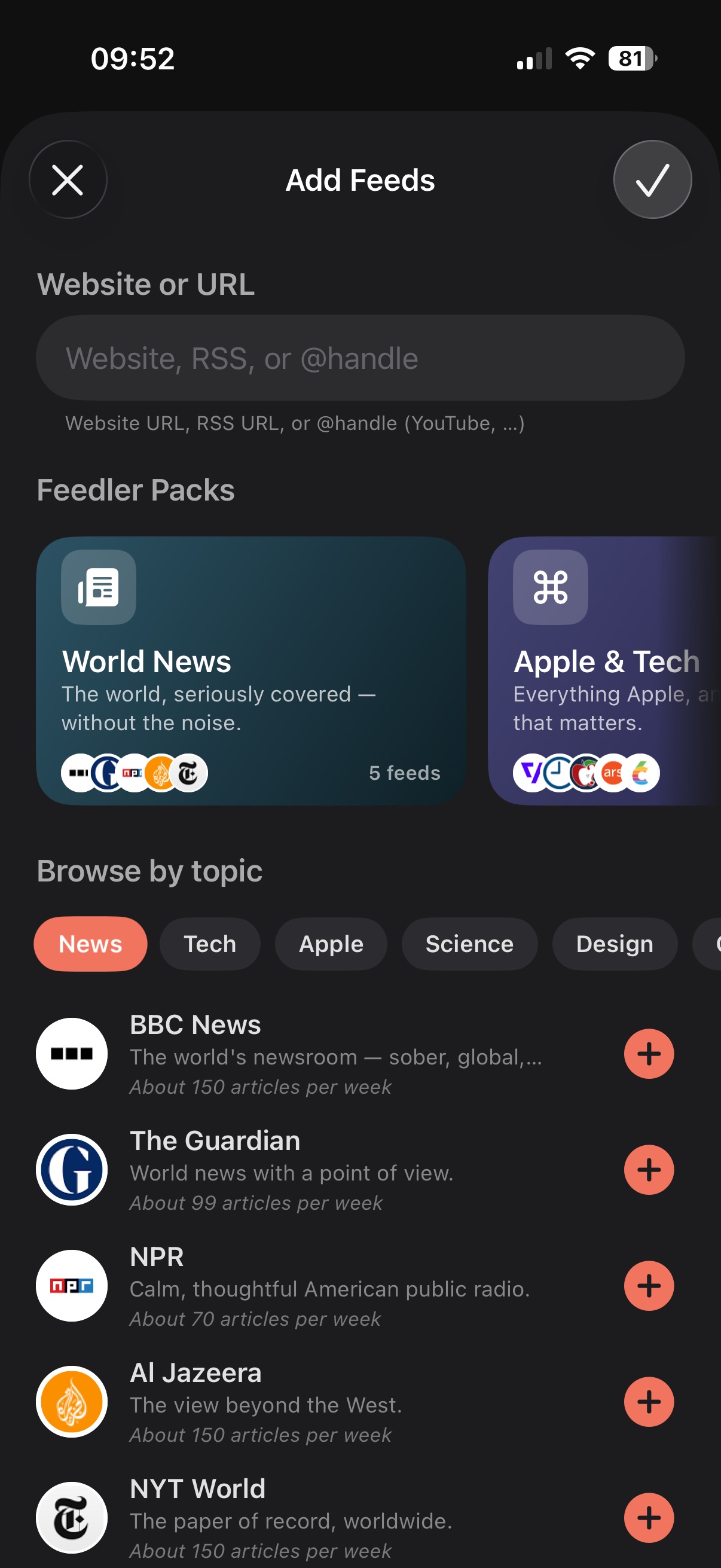
New to RSS, or looking for something to read? Add Feeds opens to a hand-picked catalog: themed Feedler Packs and feeds by topic, in several languages, each with a short description and its publishing frequency. Add one feed, or a whole pack at once, filed into its own folder.
And it keeps going
Every one of these is included in the free tier.
Real embeds
YouTube plays in a native player inside the article. Posts from X, Bluesky and Instagram show as readable cards instead of broken links.
Private by design
No Feedler account, no tracking, no ads. Feedler collects nothing about what you read. You are never the product.
True offline mode
Articles and their images are cached on the device, so they stay readable with no connection.
Smart caching
Feedler preloads what you're most likely to read and clears what you're unlikely to need.
Listen to articles
Text-to-speech reads any article aloud, hands-free.
Image galleries
A run of images becomes a grid, a pair or a stack of cards, with a fullscreen carousel.
Themes & icons
Themes, list layouts, round or square feed icons: set Feedler up the way you like it.
Backed up to iCloud
Accounts and settings live in your private iCloud. A new iPhone restores everything.
Read it later
One tap sends an article to Safari's Reading List or to your read-later service.
No lock-in, ever
Export your feeds with OPML at any time, even on the free tier. Your list stays yours.
Made for your hands
Swipe actions you choose, gestures throughout the app, and keyboard shortcuts on iPad and Mac.
Bring every account
Local RSS on the device, iCloud sync, or the service you already use. You can use several accounts from the same service side by side.







One app, all your Apple devices
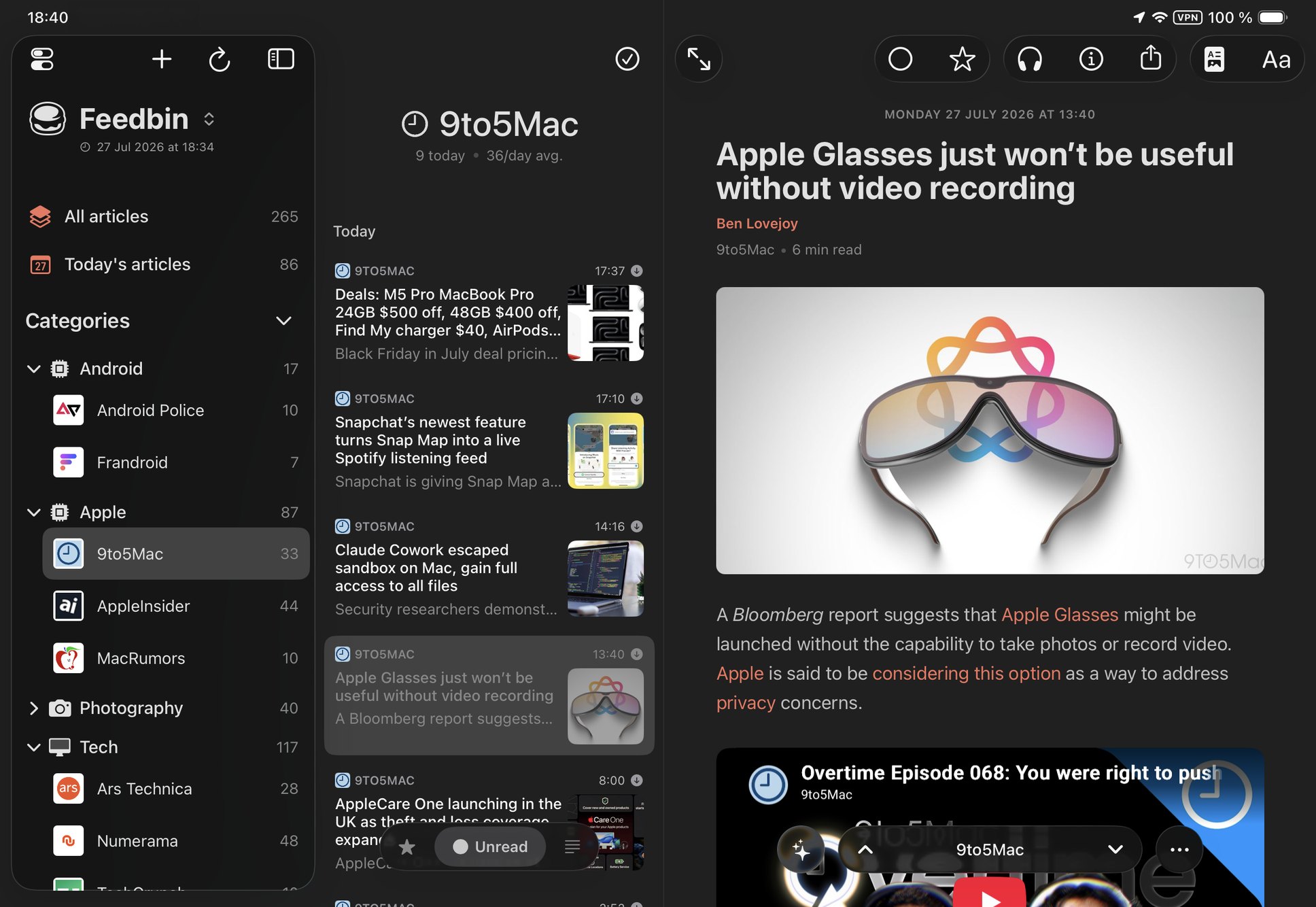
On iPhone, iPad and Mac. On iPad the three columns adapt to the size of the window and turn Feedler into a proper reading desk. A large iPhone shows the list next to the article in landscape, and every window reopens on the article you were reading.
Give your reading a smarter home.
Free for one Local RSS account and up to 5 feeds, with every reading feature included. ∞ Feedler Unlimited adds unlimited feeds, sync services, iCloud sync and OPML import.
Download on theApp StoreWant tomorrow's features early? Join the beta on TestFlight.
Questions? The FAQ covers everything, pricing included.