
1.9.3
Mastodon
Speed
Reading
Sync
Fixes
A large update that introduces Mastodon posts in your feeds, an improved sync, and a faster app with long lists of feeds. More in the blog post “Reading Mastodon posts in Feedler”.
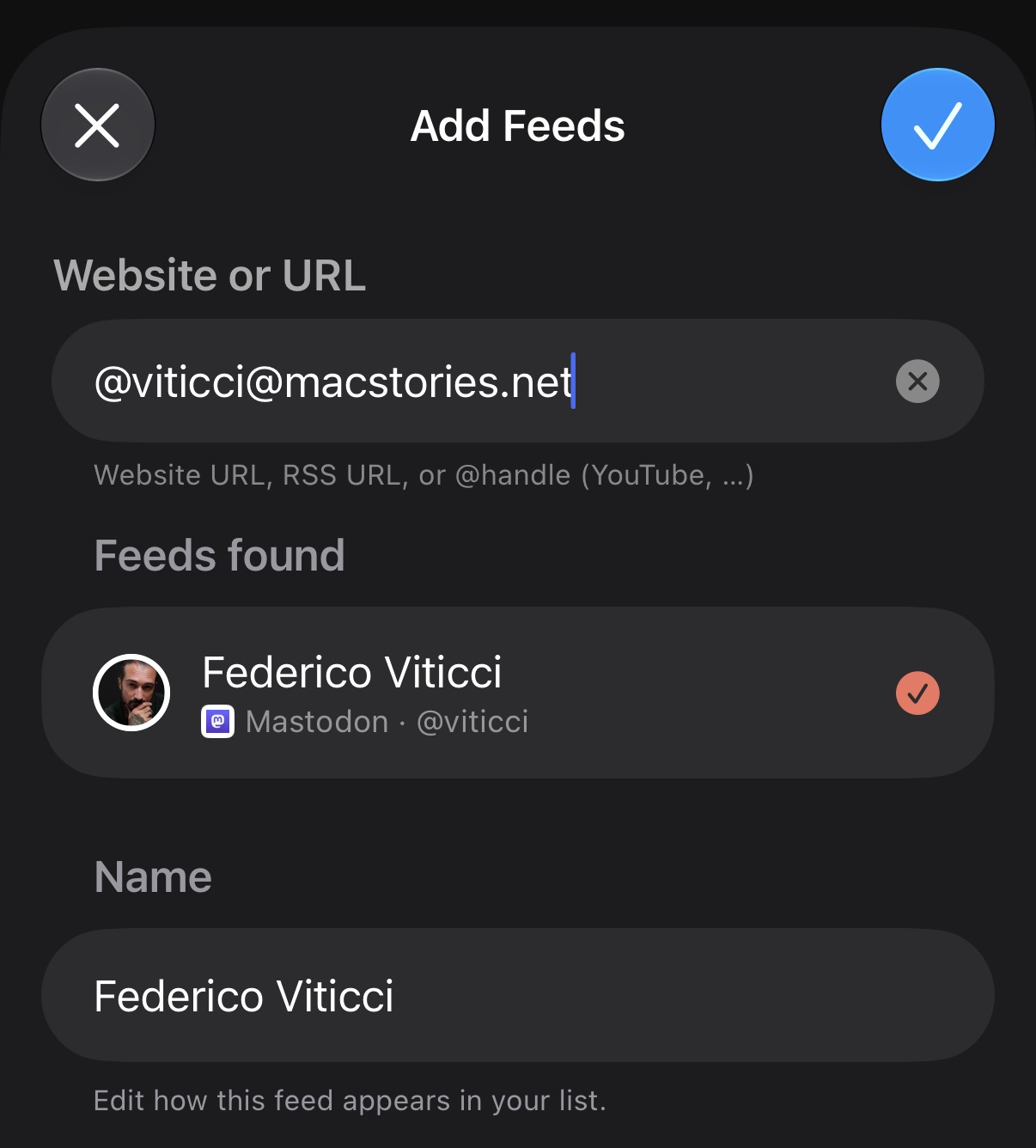
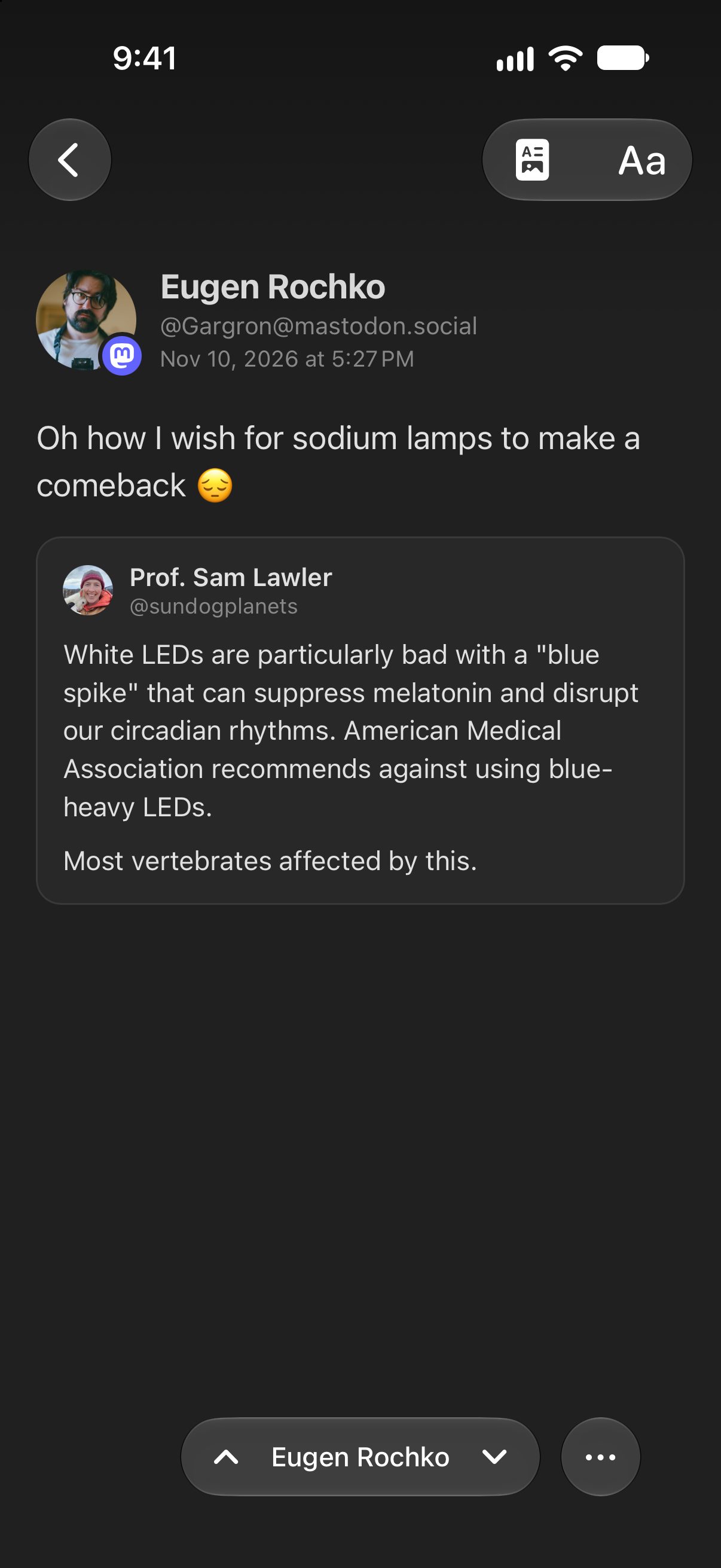
- Mastodon: type @name@server in Add Feeds to follow a Mastodon profile. Posts open with their images, quoted posts and link previews
- Speed: much faster on accounts with many feeds and thousands of articles. Opening an article, lists, unread counts and Mark all as read no longer slow down as your library grows
- Opening an article: a loading placeholder while the article opens, and an opening animation you can turn off in Settings
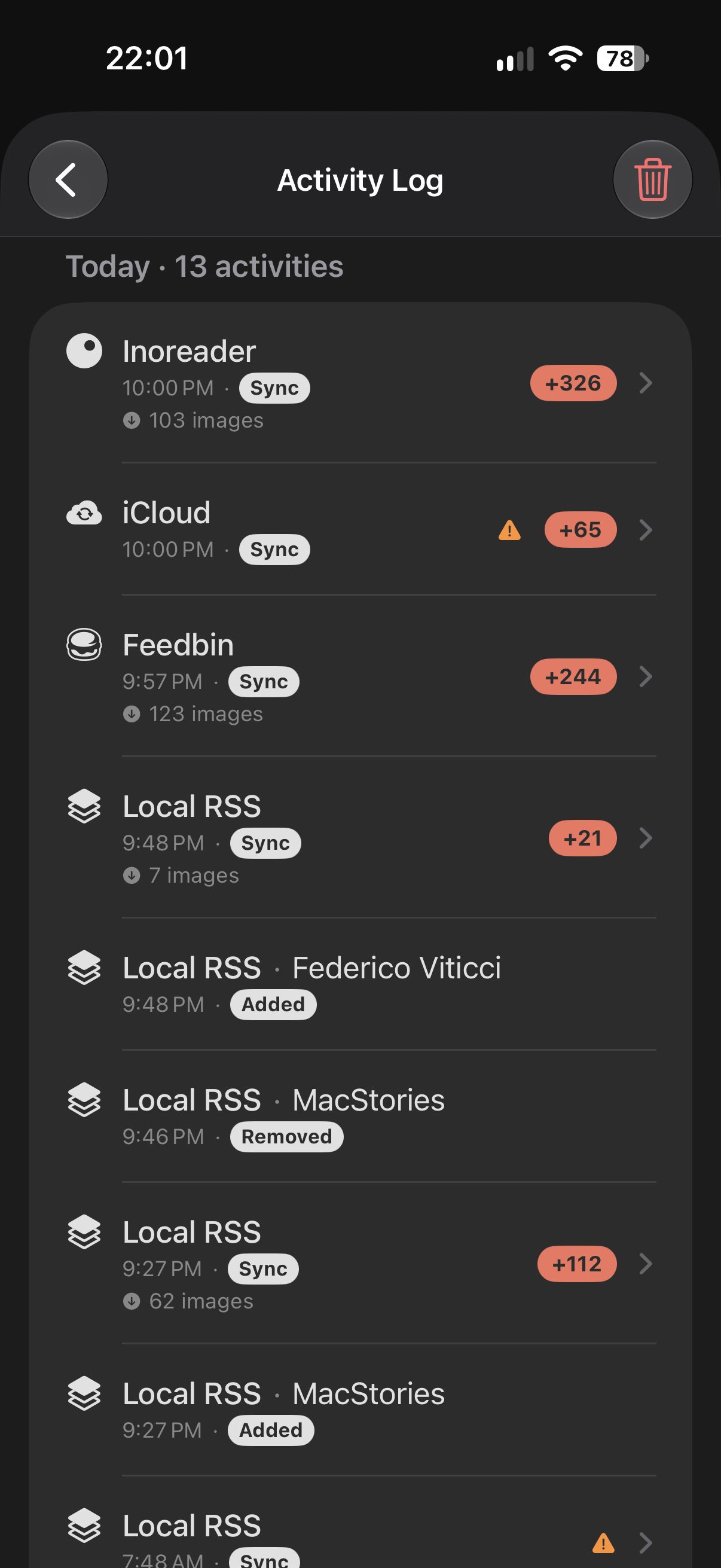
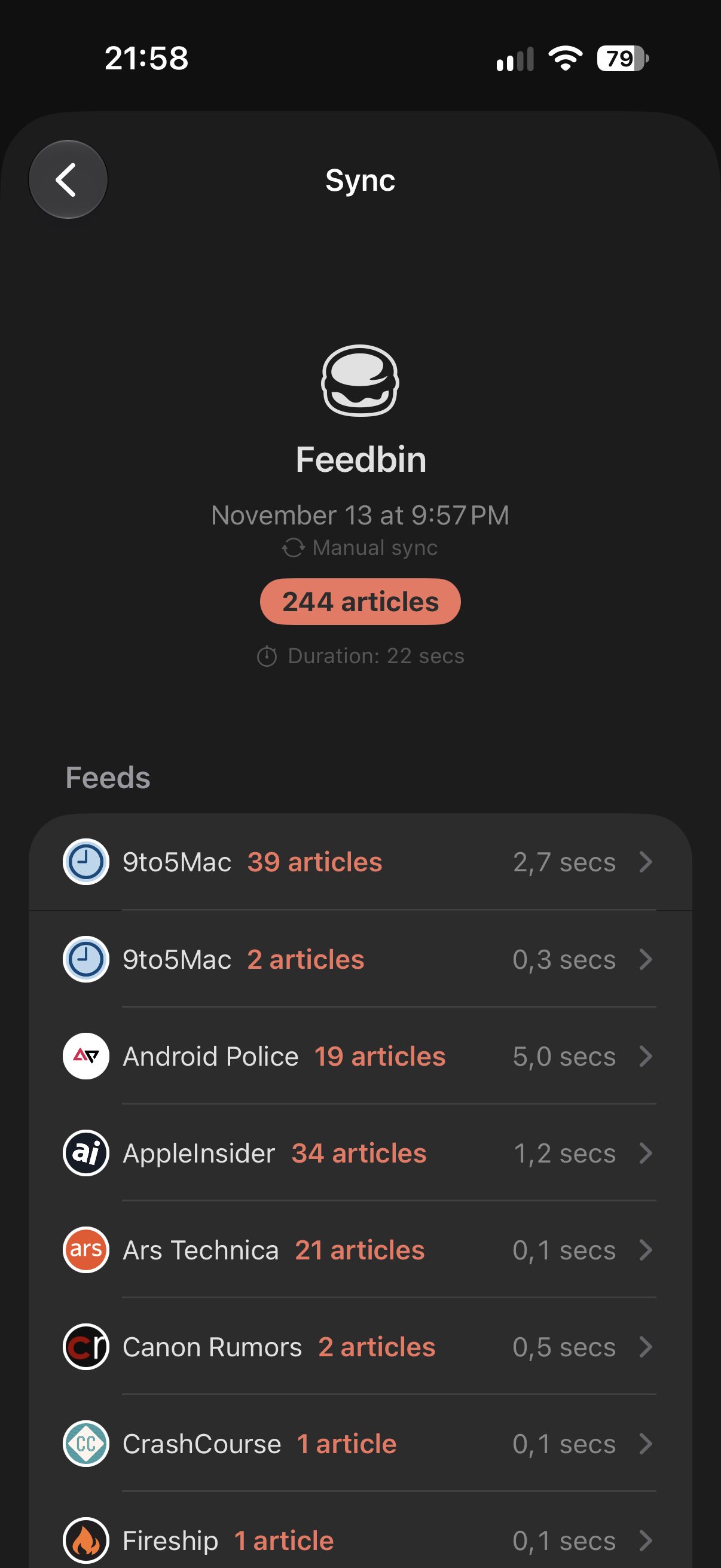
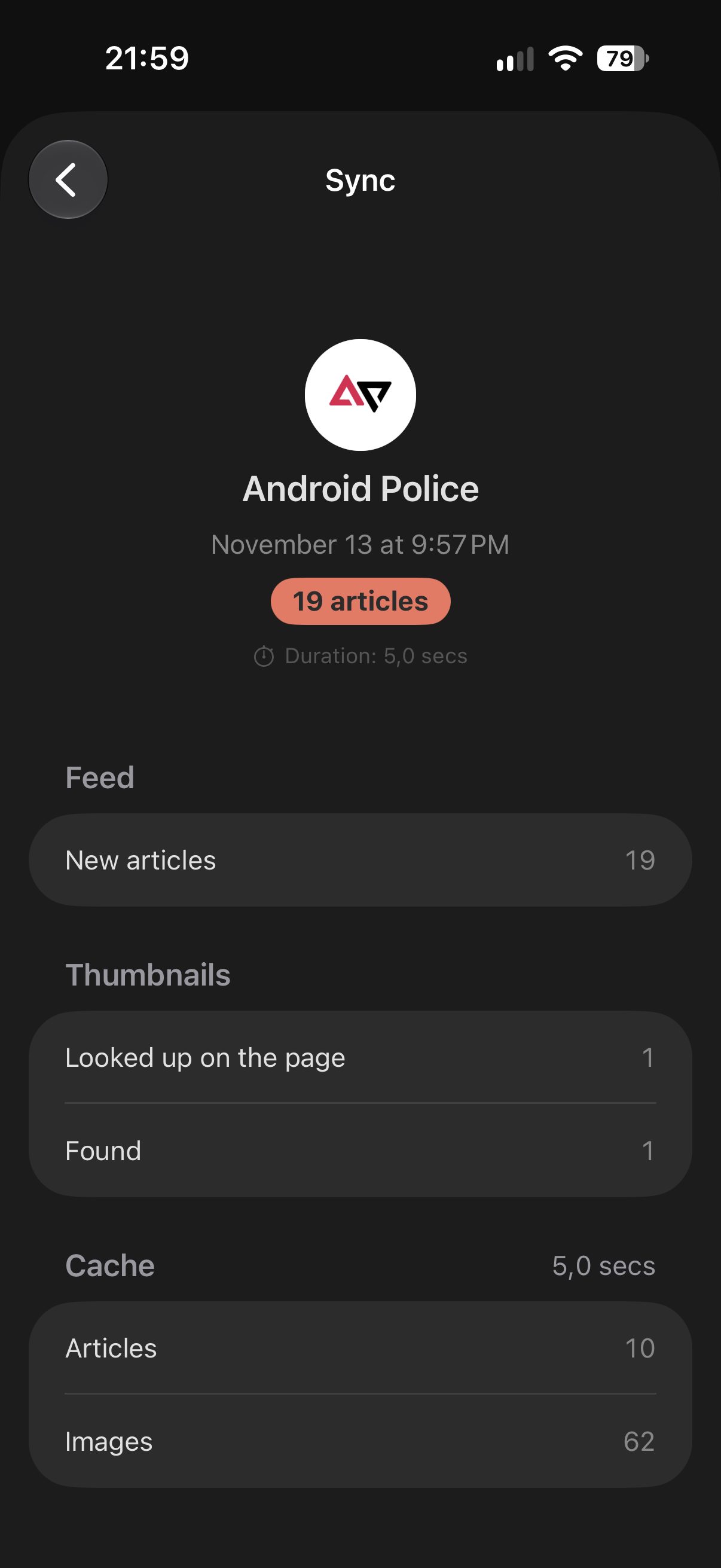
- Activity Log: shows how long each feed took to sync, how many new articles it found, and what failed
- Sync: Feedler shows what it is doing at the end of a sync, and a site that does not respond during a thumbnail lookup no longer holds it up
- YouTube videos embedded in articles play on more sites, Mark all as read works on unread favorites in the Favorites list, and fixes
Mastodon
- In Add Feeds, type a profile the way Mastodon writes it, @name@server. Feedler finds its feed and gives it the profile's name and picture
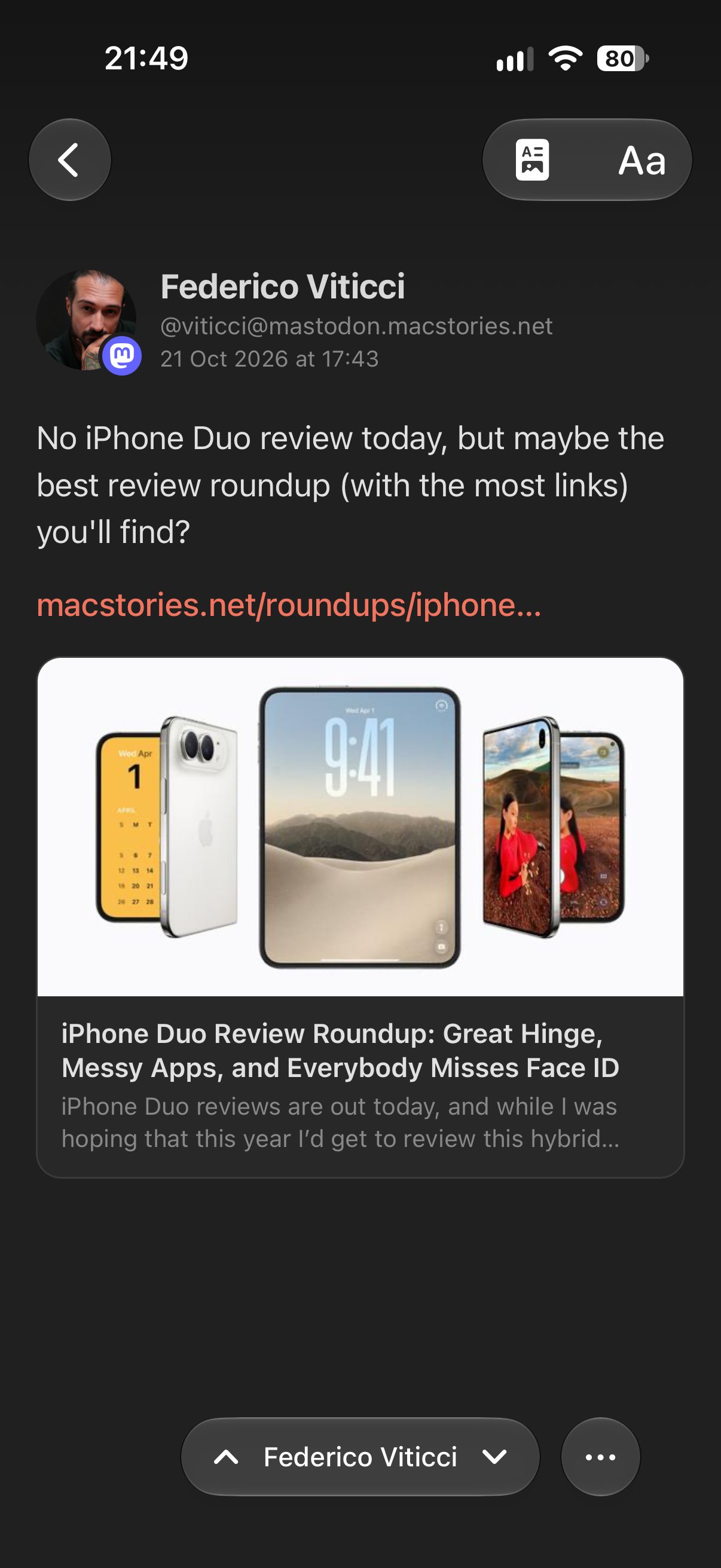
- Open a post to see its text, images, quoted post or link preview, and hashtags. Tap the author's line to open the post on Mastodon
- In the list, a post shows its text where an article shows its title
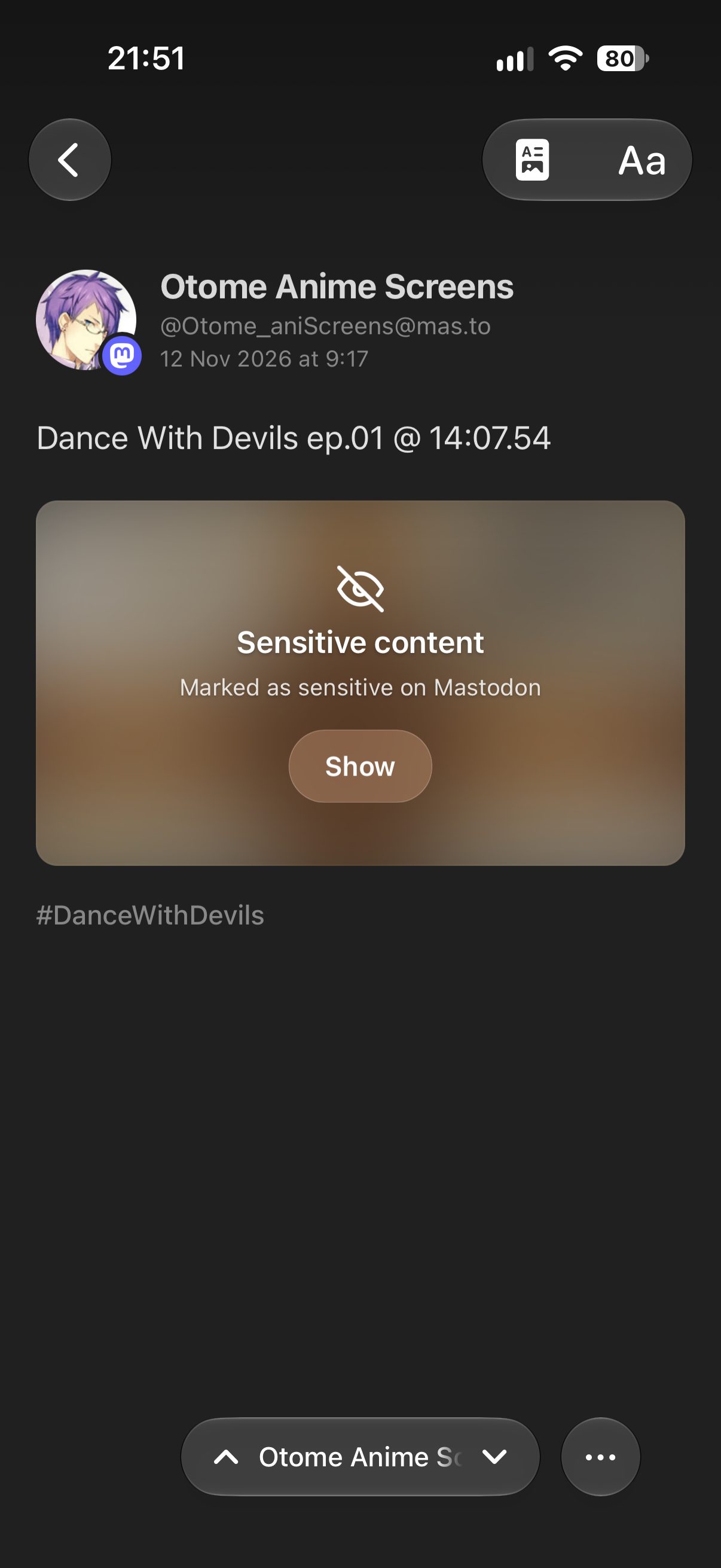
- A post behind a content warning stays folded and media marked as sensitive stay covered until you tap Show, as on Mastodon. Two switches change that in Settings › Article › Mastodon: Always show sensitive media and Always expand content warnings
- Posts are saved for offline reading like articles, with their pictures
- Mastodon profiles followed through Feedbin, Inoreader or The Old Reader open the same way. I have not tested the other services yet
- A Mastodon post embedded in an article shows as a post. Settings › Article › Social Embeds › Embed Mastodon posts turns it off
- Mastodon posts, Bluesky posts and Vimeo videos no longer offer an AI summary
- The blog post “Reading Mastodon posts in Feedler” shows more, and the FAQ answers “How do I add a feed?”
Speed
- This update reworks what Feedler reads from its library at each tap. The more feeds and articles an account holds, the more it shows
- Opening an article and going back to the list are much faster on accounts with thousands of articles
- A list under Unread or Favorites opens right away, even when most of its articles are already read
- Mark all as read, Mark Above as Read and Mark Below as Read act faster on large accounts
- Unread counts are computed in the background: launching the app, switching accounts and changing the filter no longer wait for them
- The first launch after this update prepares your library once, in about a second
Opening an article
- While an article loads, placeholder lines stand where its text will be. The page is never left empty
- To skip the animation when opening an article, turn off Article opening in Settings › Appearance › Animations
- The picture at the top of an article reaches a little past the text, with rounder corners
- The previous and next articles are prepared in advance everywhere, including inside a Trending story and in the reading pane on iPad, Mac and the unfolded iPhone Duo
- A short article scrolls to its last line without jumping to the next article
- The back swipe no longer fails on an article with a very long word in its title
- A picture closed from full screen returns to its place without showing twice
Activity Log
- Open a sync in Settings › Activity Log to see each feed it read: how long the feed took, its new articles, the thumbnails found and the articles saved for offline reading
- When something failed, the feed's page lists it article by article with the reason: timed out, blocked by the site, no content found
- A sync that brought nothing new can be opened too, to see how long each feed took
- A sync you stopped says where it stopped
- The FAQ answers “Can I see a history of what Feedler has been doing?”
Sync
- At the end of a sync, the status line says what it is doing, such as “Finding thumbnails” with its counter. The bar no longer stays stuck at 100%
- A site that does not answer is set aside for a while. Its missing thumbnails are looked up again later and the rest of the sync goes on
- When an article's page has no picture to use as a thumbnail, Feedler now remembers it and does not ask for that page again at the next syncs
- Improved reliability of read and favorite states during a sync, in specific scenarios
- The FAQ answers “Why does a sync sometimes take longer than in other readers?”
Lists
- Under Favorites, Mark all as read marks the unread favorites only. The button is disabled when all favorites are already read
- Mark all as read is not offered while a search is open
- On iPad and Mac, the article being read stays in its list when a sync ends
- Trending Stories: a story shows each source's icon once before repeating one
- With a very large text size, the Accounts page shows one card per row, and messages and the search field are no longer cut
Sites
- YouTube videos now show in articles from PetaPixel, Clubic, The Verge, Vox, Polygon and Gamekult
- Futura shows its whole article
Also
- Various bug fixes