
Reading Mastodon posts in Feedler
You can follow someone's public posts in Feedler without signing in to Mastodon. Feedler already supported Mastodon RSS feeds and displayed each post as an untitled article. In 1.9.3, posts have their own layout, with the author's profile picture, photos, quoted posts and link previews.
Add a profile by its address
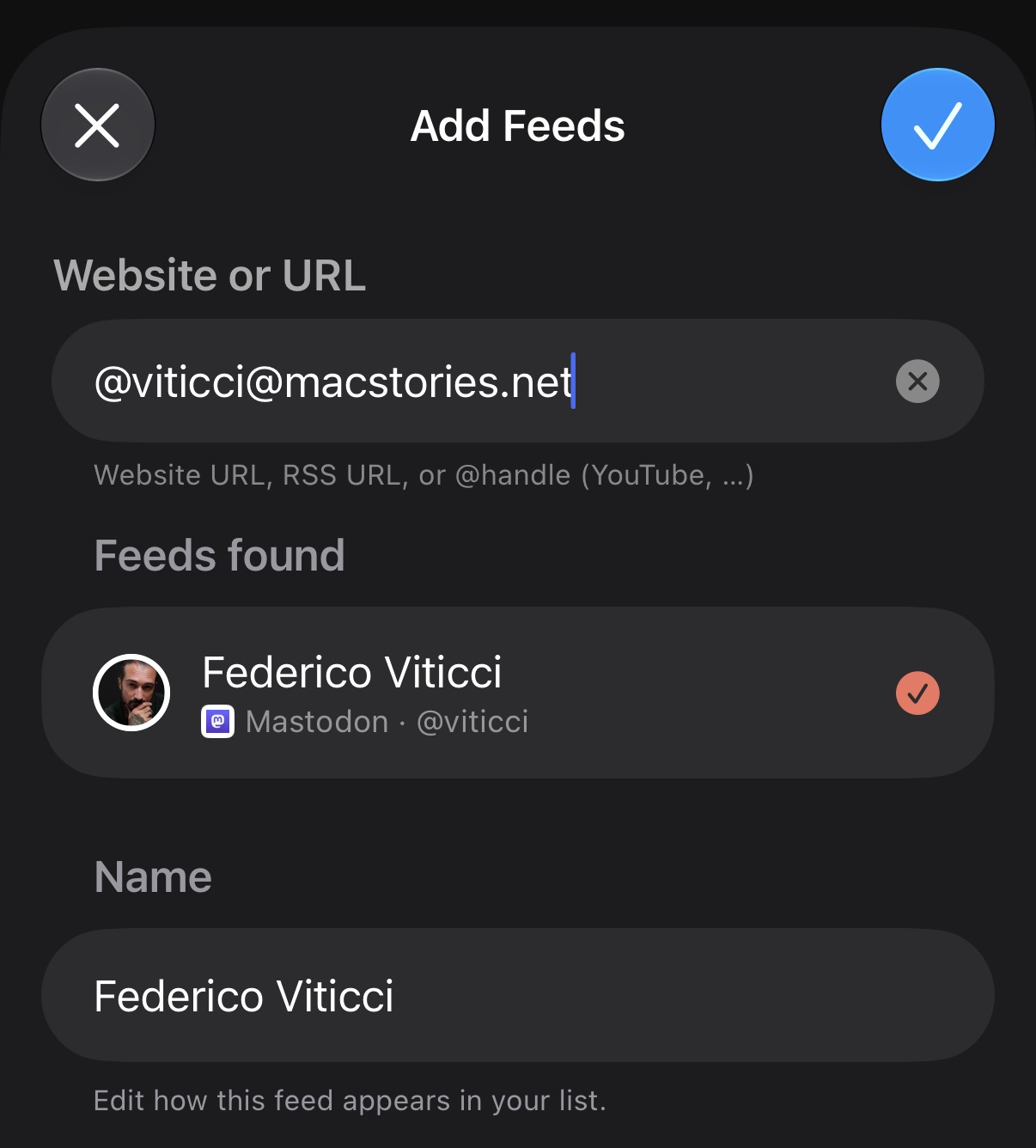
In Add Feeds, enter the full Mastodon address (@name@server). Feedler finds the RSS feed and shows the account's name and profile picture. Both parts are needed: a name alone could be anyone, on any server.
A layout for posts
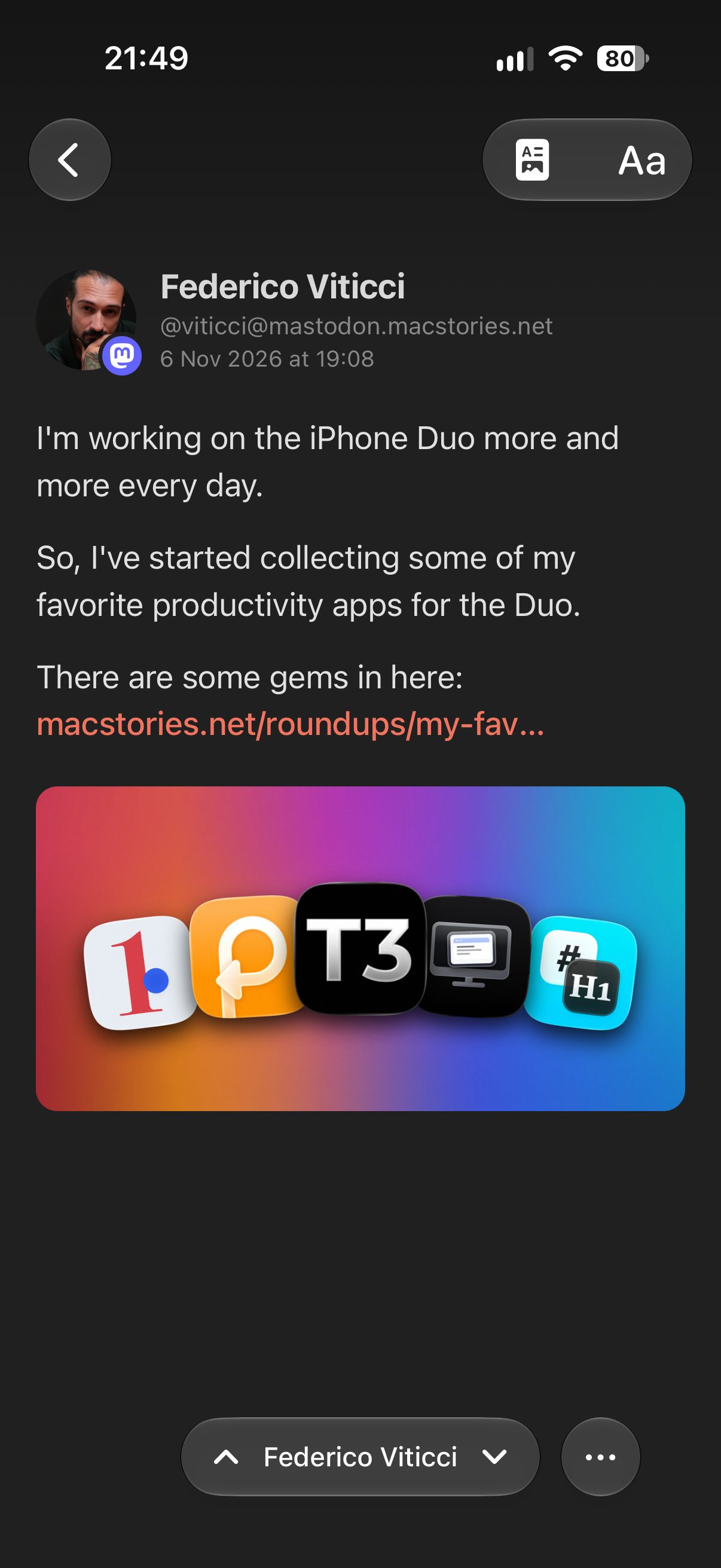
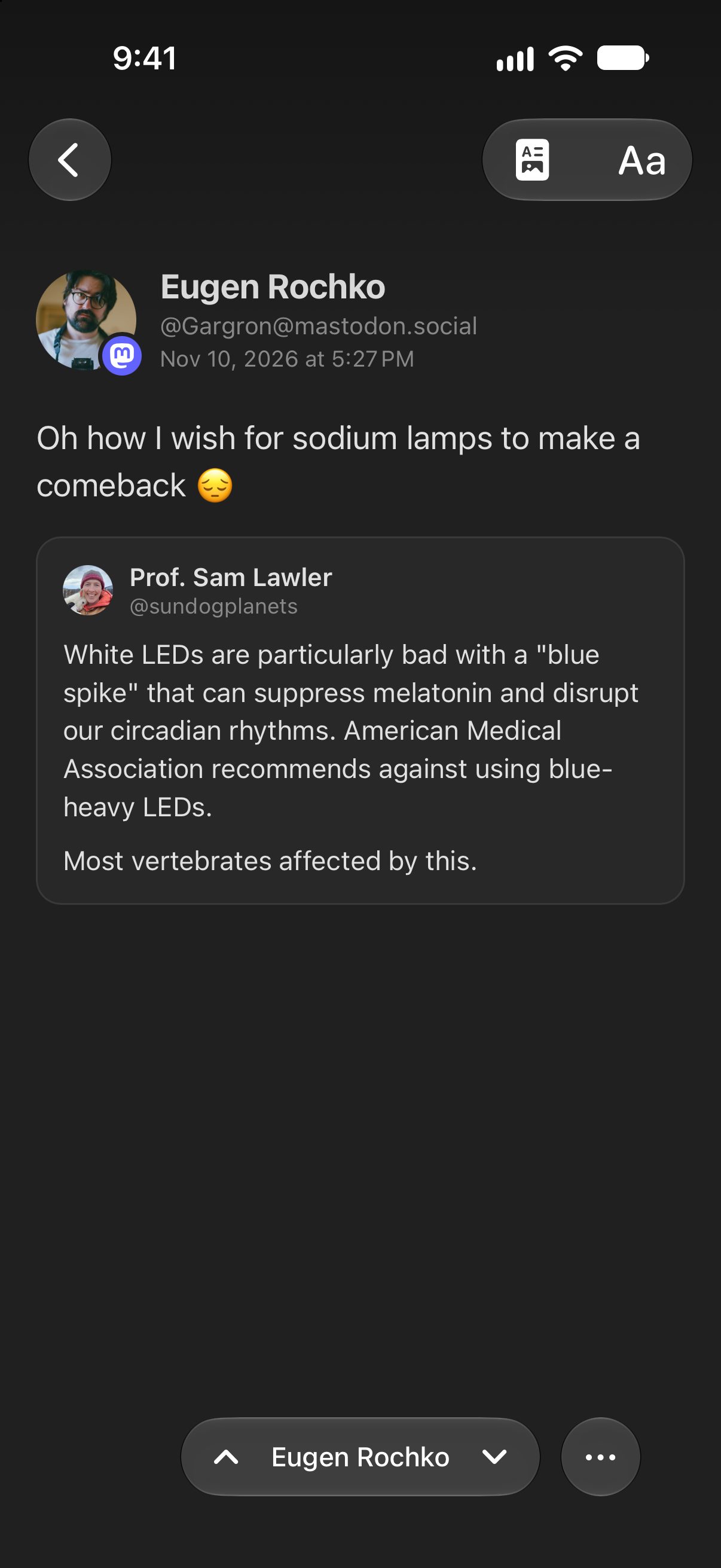
The author comes first, with their profile picture, name, full address and the date. Then come the text and the pictures. Hashtags at the end of the post appear on a separate line. Tap the author's line to open the post on Mastodon.
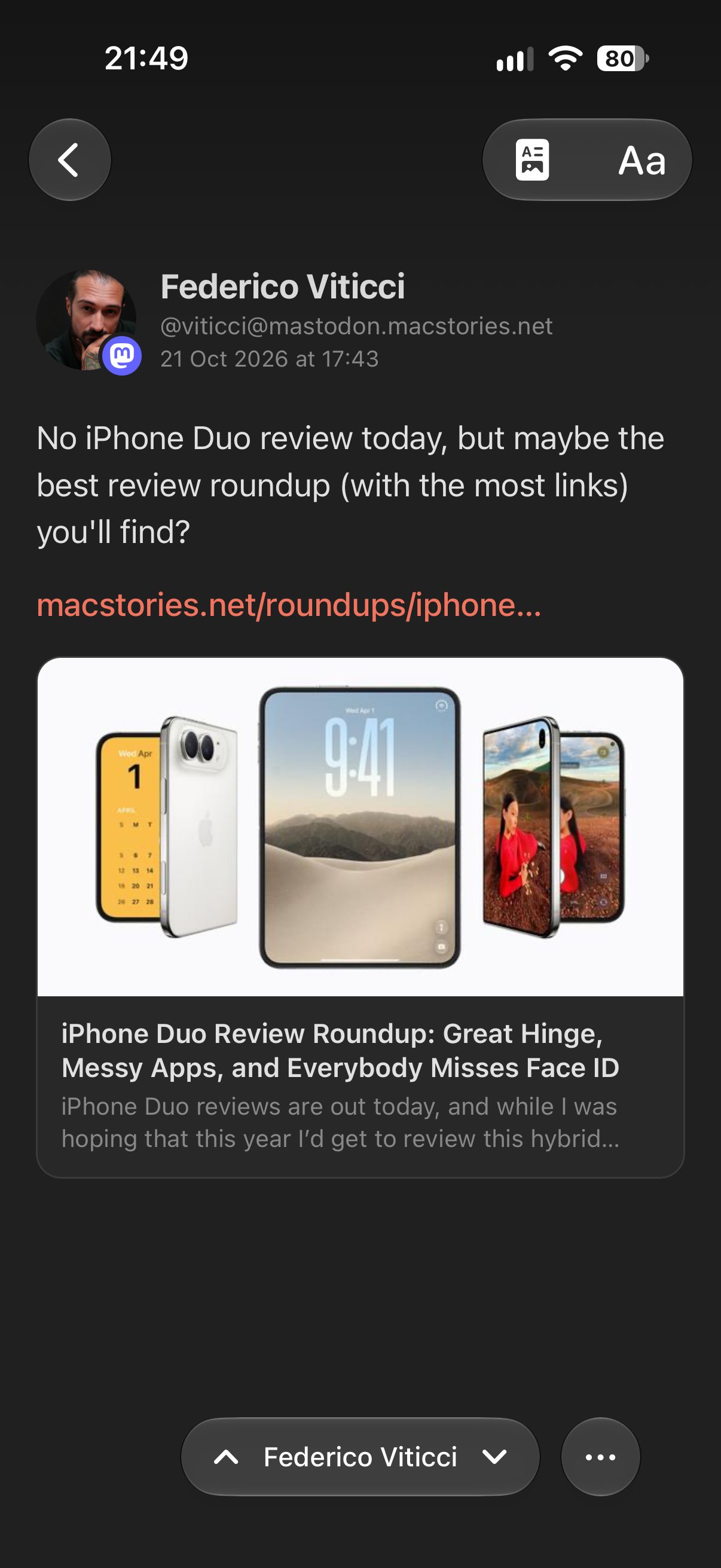
A post that shares a link shows a preview of the link: the article's image, its title and its first words. A post that quotes another post shows the quoted post in a card, with its own author. In Reader View, Feedler fetches link previews and quoted posts from the post's server. Feed View shows what's in the RSS feed.
In the list
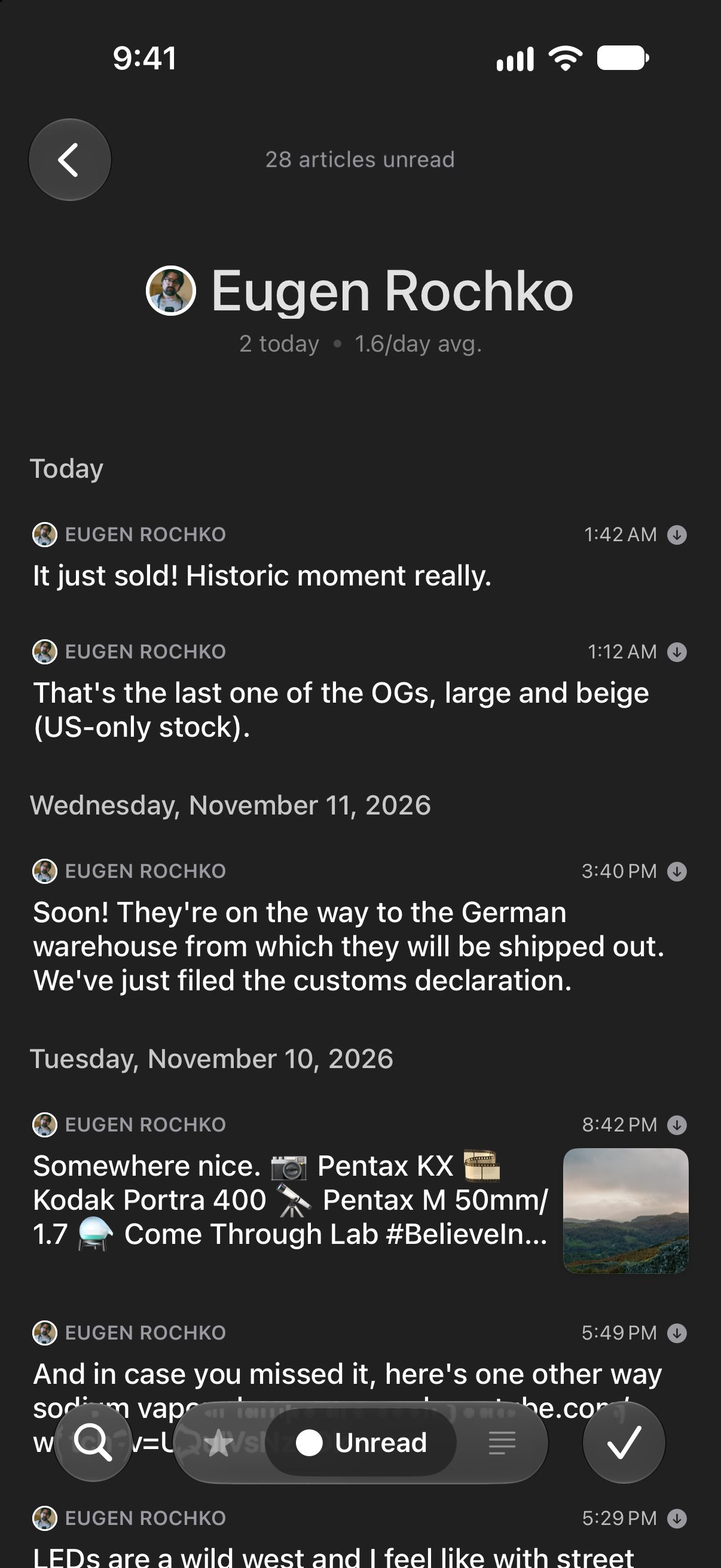
A post has no title. In the article list, Feedler shows the post's text where an article shows its title, with its first picture as the thumbnail.
Sensitive media and content warnings
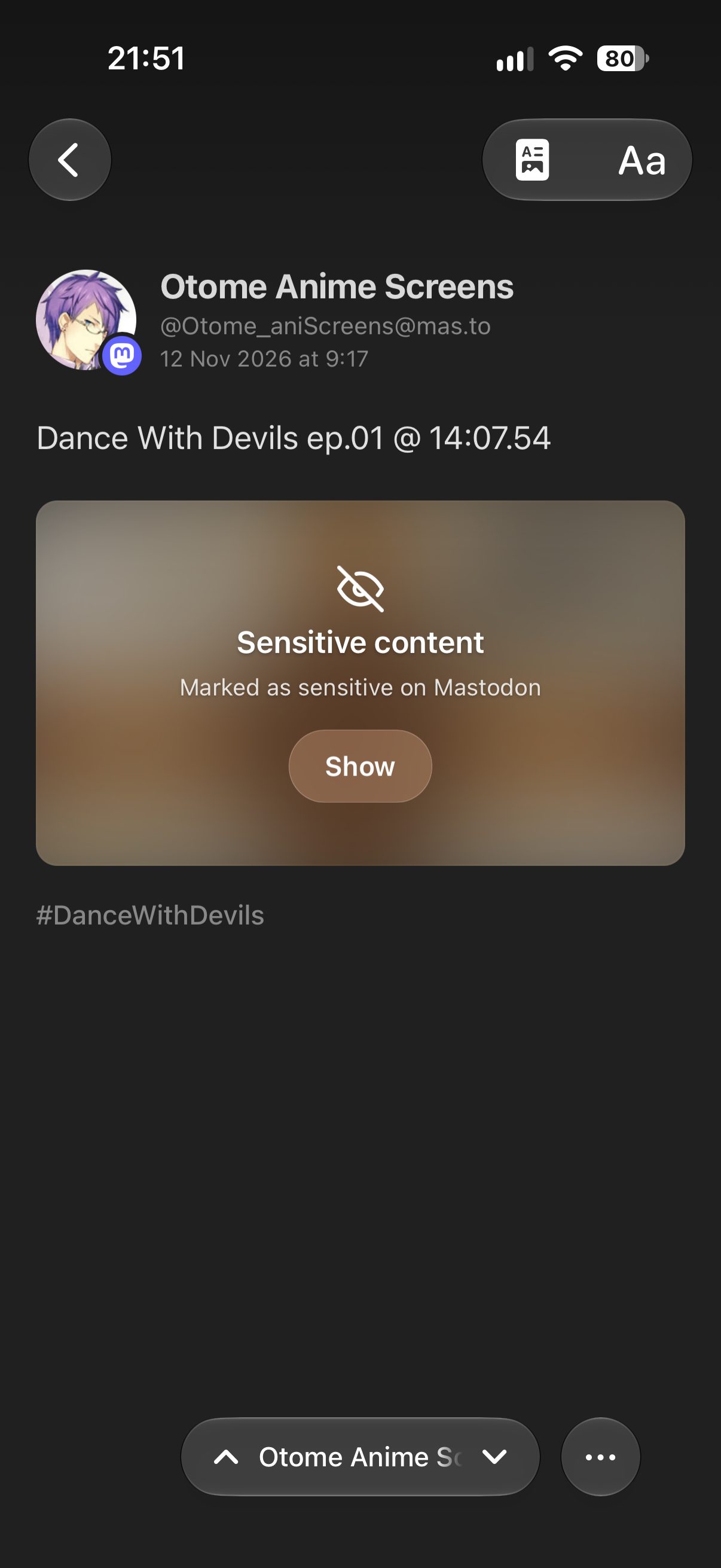
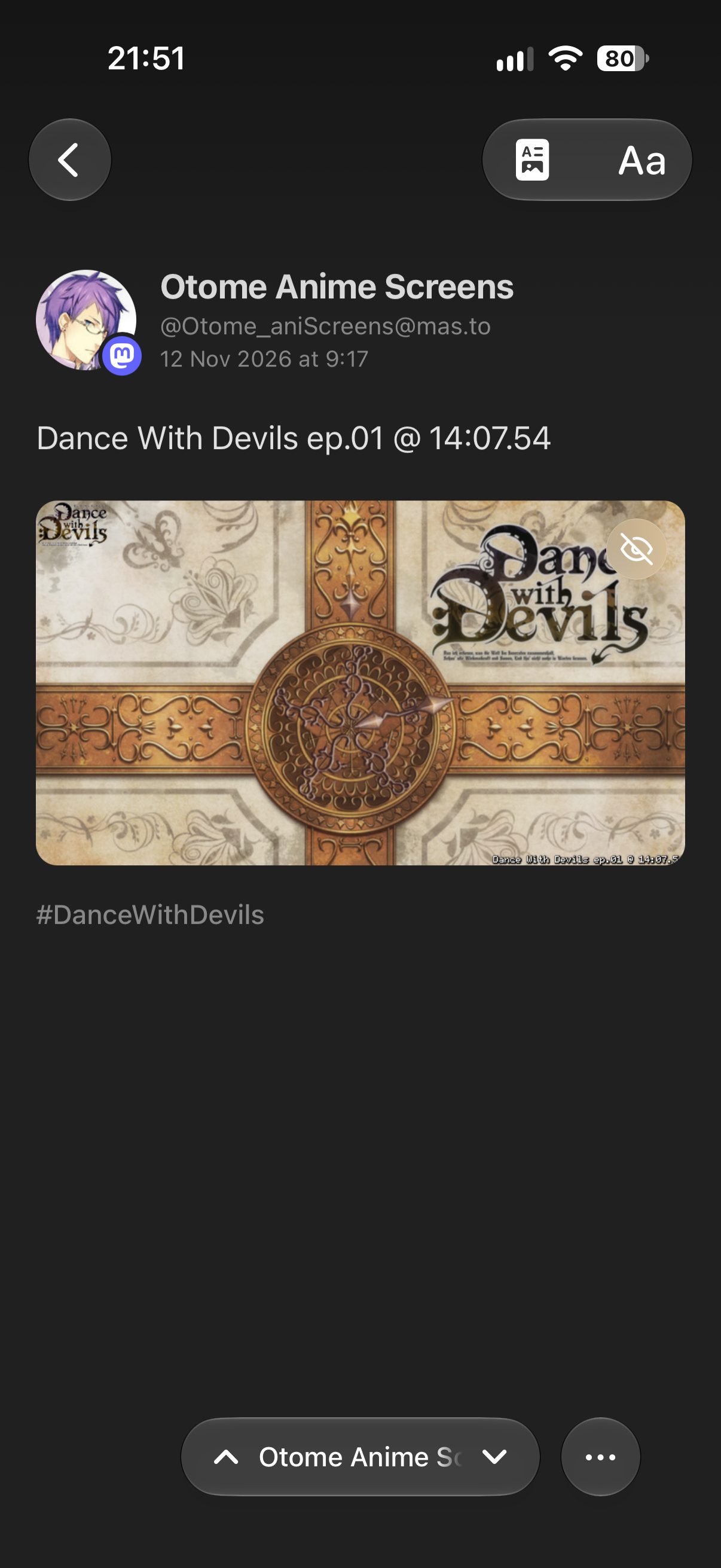
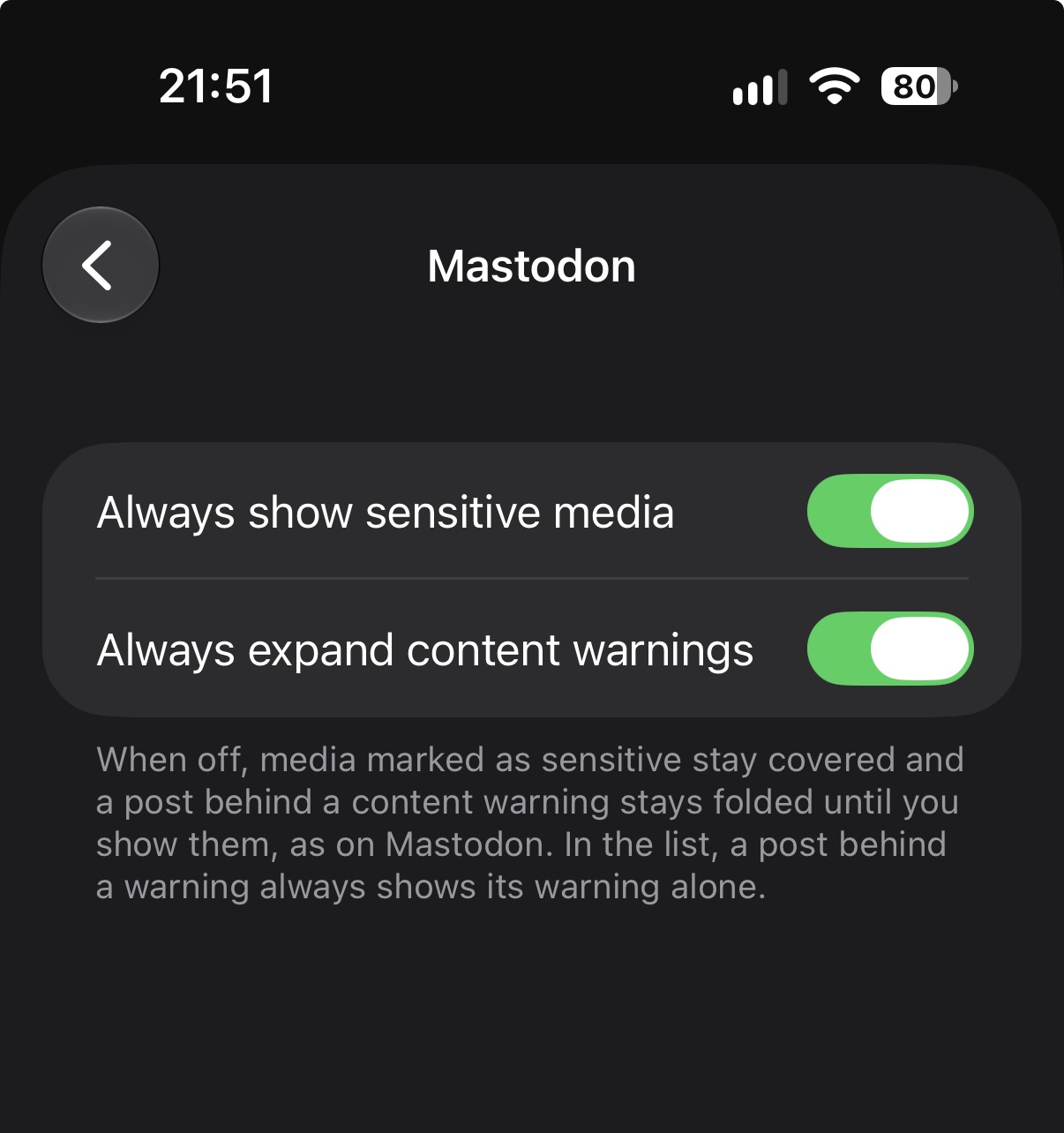
On Mastodon, an author can mark media as sensitive, or put a whole post behind a content warning. Feedler hides sensitive media and keeps posts with content warnings collapsed until you tap Show. In the article list, you'll only see the warning.
If you would rather see everything, two switches in Settings › Article › Mastodon change that: Always show sensitive media and Always expand content warnings. Both are off by default.
Offline, and through sync services
Posts are saved for offline reading like articles, with their pictures. Mastodon profiles followed through Feedbin, Inoreader or The Old Reader open the same way. I have not tested the other sync services yet.
When an article embeds a Mastodon post, Feedler shows it as a post too. Settings › Article › Social Embeds › Embed Mastodon posts turns that off.
What may not work
Mastodon is not one site. It is a network of independent servers, each run by different people. Many run Mastodon's own software, others run different software that speaks the same language, and an address like @name@server can point to any of them. That makes Mastodon harder to support than a single platform such as YouTube: what works with one server may work differently with another, and I cannot test them all.
Feedler's post layout is built for servers that run Mastodon itself. A profile on another kind of server is found the same way, but its feed is written differently, and Feedler may open its entries as ordinary articles. One example is @macstories@flipboard.com, MacStories' magazine on Flipboard. Mastodon shows it as a profile like any other, but its feed carries the site's articles, so Feedler opens them as articles, not as posts.
If a profile doesn't show up or a post looks different in Feedler, send me the profile address or a link to the post.
Feedler is a way to read Mastodon, not a Mastodon app: replying, boosting and favoriting stay on Mastodon.
Every way to add a feed is in the FAQ: “How do I add a feed?”.