
1.8.3
Reading
Lists
Trending Stories
Fixes
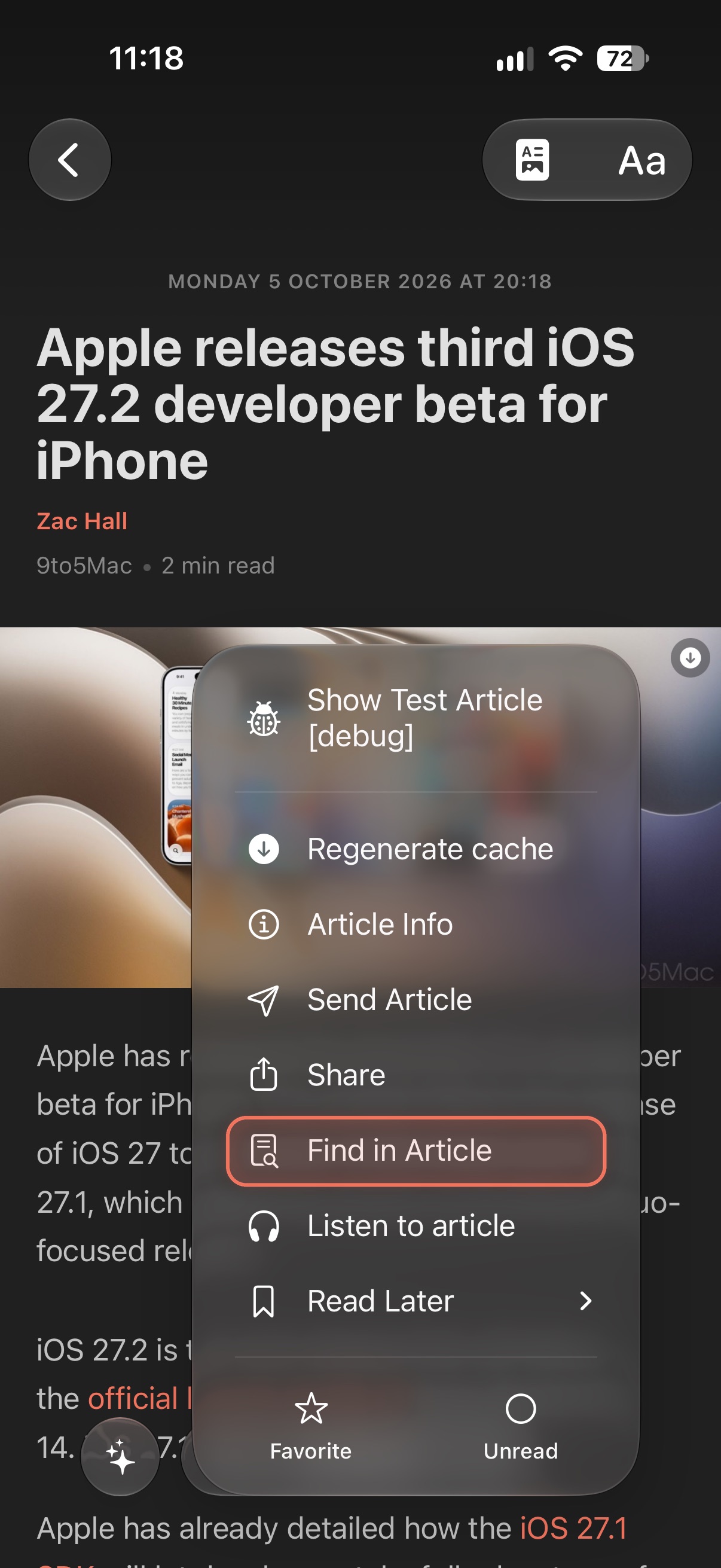
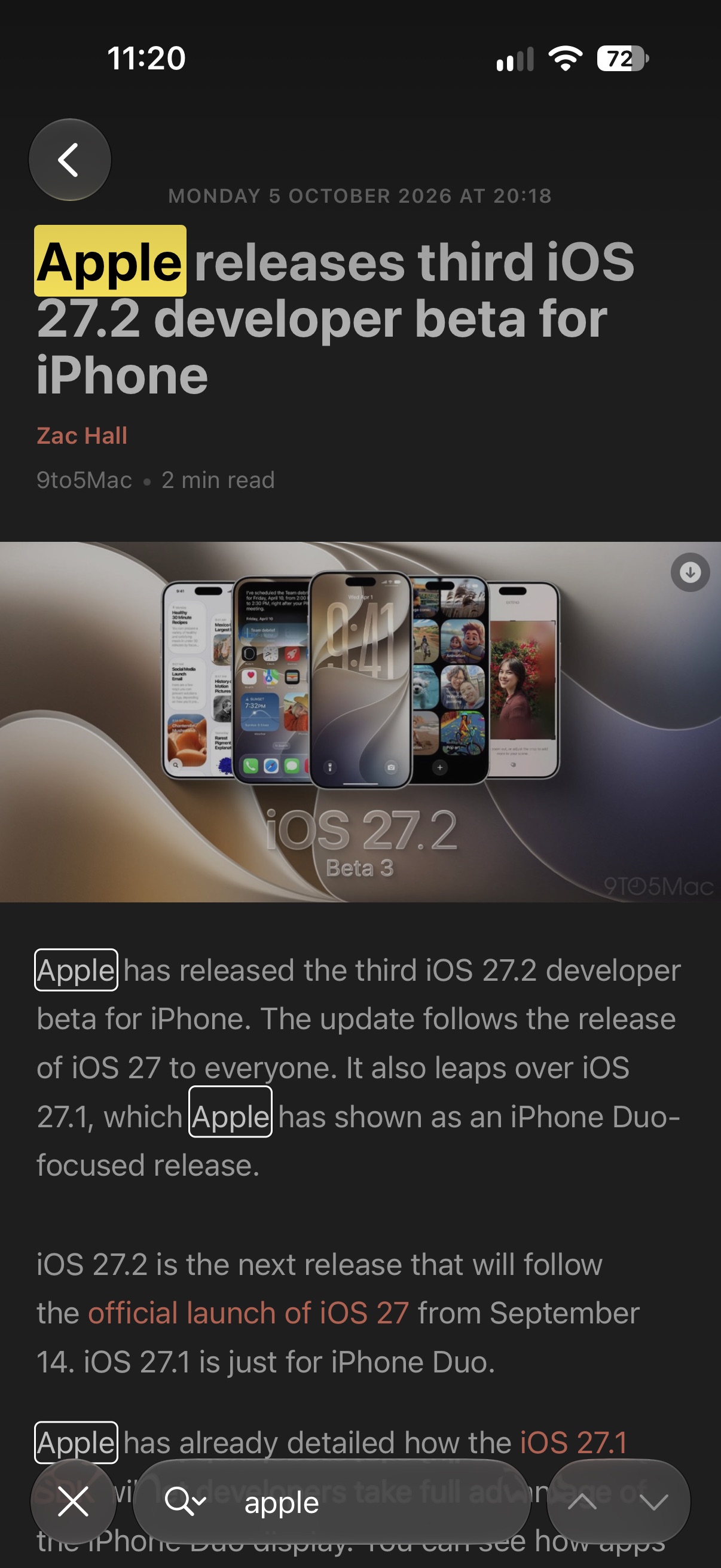
- Find in Article: search for words in the article you are reading, every match highlighted, like in Safari. Available from the article's menu, or with ⌘F on iPad and Mac
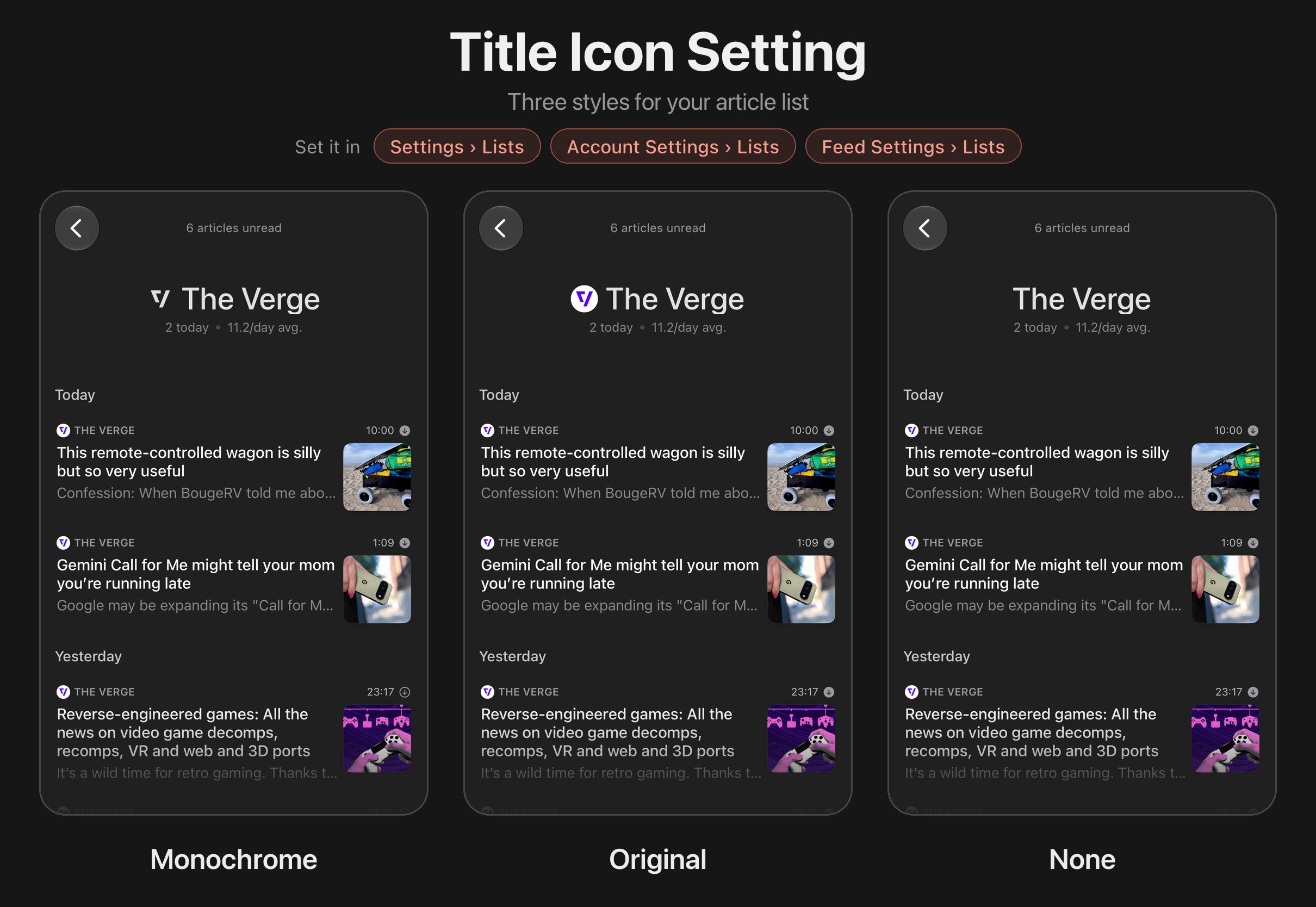
- Title icon: the icon next to a feed's name above its articles, in monochrome, in its original colors, or hidden. Set it for the whole app, an account or a single feed
- Article thumbnails get a thin edge and a soft shadow, so a dark image stands out from a dark theme
- Smoother scrolling in Trending Stories, with no blank gaps between stories, plus several fixes
Reading
- Find in Article: open an article's menu and choose Find in Article, then type a word. A Safari-style search bar highlights every match, shows the match count and lets you move between results
- On iPad and Mac, ⌘F opens the search for the article on screen from any column, ⌘G and ⇧⌘G move to the next and previous match, and the Edit menu lists them
Lists
- Title icon: the icon next to a feed's name at the top of its article list and in Feed Info can be Monochrome (as before), Original (the site's own icon, in its colors) or None. Set it once in Settings › Lists, then for an account or a single feed in their own settings. The FAQ shows the three side by side: “Don't like a feed's icon? Change it”
- Article thumbnails have a thin edge and a soft shadow, so an image close to the page's color keeps a visible border
- Sharper feed icons in Feed Info
- Smoother scrolling in article lists on iPhone when the filter bar hides or comes back
Trending Stories
- Fixed blank space between stories while scrolling, and the list scrolls more smoothly
Also
- In Account Settings and Feed Settings, Reset to global setting now works in one tap
- Fixed the appearance of settings sheets in landscape on iPhone
- Fixed an incorrect article count when reopening Feedler on an article list